



Valentine’s Day as a student in Nigeria hits differently. You want to show love, but your bank alert says “be calming down.” You care deeply, but your allowance, side hustle, or pocket money has limits. Still, love doesn’t disappear because money is tight, it simply becomes more creative. In 2026, students are redefining romance. It’s no longer about how expensive a gift is, but how intentional it feels. A thoughtful ₦5,000 gift can melt a heart faster than something flashy with no meaning. That’s why Student-Friendly Valentine’s Gifts are becoming more popular than ever across Nigerian campuses. This is for students who want to give something meaningful, memorable, and budget-conscious without embarrassment, pressure, or stress. Student-Friendly Valentine’s Gifts That Prove Love Isn’t About Money One of the biggest lies students believe is that Valentine’s Day must be expensive. In reality, love is felt more in effort than in price tags. Student-Friendly Valentine’s Gifts focus on the emotional value of what the gift represents, not how much it costs. A handwritten letter, a small surprise, or a carefully chosen item can mean more than a big spend. In Nigerian campuses today, intentional gifting is quietly becoming the new standard. When you give with sincerity, your partner feels seen and that’s priceless. Personalized Low-Budget Gifts That Feel Thoughtful Personalization is the secret weapon of student gifting. Custom keyholders, printed photos, notebooks with sweet notes, or framed memories can all be done under ₦10,000. These gifts work because they’re unique. They show effort, planning, and attention. You didn’t just buy something you thought about them. For students, this is how romance becomes intimate without being expensive. Student-Friendly Valentine’s Gifts Using Gift Cards Under ₦10,000 Gift cards are no longer “lazy gifts.” In 2026, they’re smart, flexible, and highly appreciated especially among students. Student-Friendly Valentine’s Gifts now include small-value gift cards for Amazon, iTunes, Steam, and local platforms. A ₦5,000 or ₦10,000 gift card lets your partner choose exactly what they want books, music, games, or essentials. That freedom feels respectful and mature. And if plans change, gift cards can also be traded or converted through platforms like Regiftme. Cute Food and Snack Gifts Students Actually Enjoy Food remains one of the safest love languages. Chocolates, cupcakes, small cakes, homemade snacks, or even a surprise meal can stay well within budget. What matters is presentation and timing. A simple snack delivered with intention feels special especially during long lecture days or exam season. For students, food gifts say, “I care about you, even in small moments.” Student-Friendly Valentine’s Gifts That Create Experiences Not all gifts have to be physical. Experiences are powerful and often cheaper. A picnic on campus, a movie night, a shared playlist, or a quiet walk with meaningful conversation can become unforgettable memories. These moments cost little but carry emotional weight. In fact, many students later remember experiences more vividly than items. This is where love feels real, not pressured. Fashion and Accessories That Stay Within Budget Simple fashion items like caps, bracelets, scarves, wristwatches, or tote bags can be stylish without breaking the bank. Many Nigerian student vendors now offer trendy items under ₦10,000. Choose something that fits your partner’s style, not trends. That thoughtfulness makes the gift feel intentional. Fashion gifts work best when they feel personal, not generic. Student-Friendly Valentine’s Gifts for Tech and Entertainment Lovers Tech doesn’t always mean expensive. Phone accessories, earphones, ring lights, or small gadgets are popular among students. Entertainment gifts like Steam or iTunes cards are also favorites. These gifts align with student lifestyles music, gaming, content creation, and relaxation. They’re practical and fun. And if unused, digital gift cards can always be traded or converted. Turning Gift Cards Into Cash, Crypto, or USDT When Needed Sometimes, what your partner really needs is flexibility. That’s where Regiftme comes in. Students can trade unused gift cards for cash, USDT, or crypto making the gift even more useful. Whether it’s an Amazon card, Steam card, or iTunes card, Regiftme allows students to turn gifts into value without stress. For support or fast transactions, Regiftme is available on WhatsApp at +8619198157161. Student-Friendly Valentine’s Gifts That Feel Emotionally Rich The most memorable gifts are emotional. A letter explaining why you chose the gift, a voice note, or a simple message can elevate even the smallest item. In student relationships, emotional connection often matters more than material value. Presence, honesty, and effort go a long way. This is how budget gifting becomes deeply romantic. Making Smart Valentine’s Choices as a Nigerian Student in 2026 Being a student doesn’t mean skipping Valentine’s Day, it means approaching it wisely. Student-Friendly Valentine’s Gifts allow you to celebrate love without financial regret. And when flexibility is needed, platforms like Regiftme reachable via +8619198157161 ensure no gift goes to waste. Whether trading, converting to crypto, or cashing out, students stay in control. In 2026, love on a budget isn’t embarrassing, it’s intentional.

Best Spa and Wellness Gift Cards for Valentine’s Day Lagos 2026
Valentine’s Day in Lagos has evolved beyond loud dinners and rushed gift shopping. In 2026, love is quieter, deeper, and more intentional. It looks like a rest, It feels like peace and It sounds like a deep breath after a long week. That’s why spa and wellness experiences have become some of the most desired Valentine’s gifts in the city. Busy schedules, traffic stress, and constant digital noise have made relaxation a luxury and gifting that luxury is now one of the most romantic gestures you can make. Gift Cards for Valentine’s Day are no longer just convenient options; they’re thoughtful invitations to slow down, recharge, and feel truly cared for. In Lagos, where wellness spaces are becoming more refined and experiential, spa gift cards offer flexibility, elegance, and emotional value. This guide explores the best spa and wellness gift card ideas for Valentine’s Day 2026 and how to make the most of them. Gift Cards for Valentine’s Day and the Rise of Wellness Gifting in Lagos Wellness gifting has taken center stage in Lagos over the past few years. More couples now prioritize mental clarity, body care, and emotional balance over flashy items. Gift Cards for Valentine’s Day fit perfectly into this shift, offering choice without pressure. Spa gift cards allow your partner to choose when and how they want to relax whether it’s a quiet weekday massage or a full weekend reset. This flexibility makes the gift feel personal, not forced. In a city that never truly slows down, the promise of rest is one of the most meaningful Valentine’s gifts you can give. Luxury Spa Experiences That Feel Like an Escape Lagos is home to world-class spas that rival international wellness destinations. From deep tissue massages and aromatherapy sessions to facials and hydrotherapy, spa gift cards unlock curated experiences designed to melt stress away. What makes these gifts special is the atmosphere, soft lighting, calming scents, and intentional silence. A spa gift card doesn’t just buy a service; it buys an experience of presence and care. For Valentine’s Day 2026, many couples are choosing spa packages that feel like mini getaways without leaving the city. Gift Cards for Valentine’s Day That Support Mental and Emotional Wellness Wellness goes beyond physical touch. In 2026, more Lagos spas are offering services focused on emotional and mental balance, guided meditation, breathwork sessions, and holistic therapies. Using Gift Cards for Valentine’s Day for these experiences shows a deeper level of thoughtfulness. It says you care not just about how your partner looks, but how they feel inside. These experiences are especially meaningful in a fast-paced city where burnout is common and rest is often postponed. Couples Spa Packages That Strengthen Emotional Connection Valentine’s Day is about shared moments, and couples spa packages are becoming increasingly popular in Lagos. These experiences allow partners to relax together, reconnect, and exist in the same calm space. From side-by-side massages to private spa suites, couples packages create intimacy without conversation pressure. Silence becomes bonding, and relaxation becomes shared language. A spa gift card for couples transforms Valentine’s Day from a single event into a memory that lingers long after. Gift Cards for Valentine’s Day and At-Home Wellness Options Not everyone prefers a public spa setting. Some people find comfort in privacy, and wellness brands in Lagos have adapted. Gift Cards for Valentine’s Day can also be used for at-home wellness kits, massage oils, bath sets, skincare bundles, and aromatherapy tools. These gifts turn ordinary evenings into calm rituals. They invite couples to slow down together, creating wellness moments at home. This option is perfect for introverts, new parents, or anyone who values quiet intimacy. Beauty, Skincare, and Body Care as Wellness Gifts Wellness and beauty are deeply connected. Many spa gift cards now extend to premium skincare treatments and products designed for long-term care. From facials and body scrubs to dermatologist-approved skincare lines, these offerings allow your partner to invest in themselves without guilt. The gift card removes the pressure of spending while encouraging self-love. It’s a gentle reminder that taking care of oneself is not indulgent, it’s necessary. Gift Cards for Valentine’s Day That Offer Financial Flexibility One underrated benefit of wellness gift cards is flexibility. Sometimes plans change, or preferences shift. That’s where platforms like Regiftme come in. If you receive spa or wellness gift cards you don’t plan to use, you can trade them securely for cash, crypto, or USDT through Regiftme. The same applies to popular cards like Amazon, Steam, iTunes, and others. For smooth gift card trading or inquiries, Regiftme is available on WhatsApp at +8619198157161, making the process fast and reliable. Blending Wellness Gifts with Digital and Lifestyle Cards In 2026, gifting is no longer one-dimensional. Many people combine spa gift cards with digital gift cards to create balanced Valentine’s packages. A wellness experience paired with an Amazon gift card, a Steam card for relaxation gaming, or an iTunes card for calming playlists adds thoughtful layers to your gift. And when flexibility is needed, platforms like Regiftme help convert unused cards into value that truly fits your lifestyle. Gift Cards for Valentine’s Day and the Language of Thoughtful Love What makes spa and wellness gift cards powerful is not their price, it’s their intention. Gift Cards for Valentine’s Day communicate awareness. They say you noticed the stress, the tiredness, the need for rest. In Lagos, where life moves fast and expectations are high, giving rest is an act of love. It’s saying, “You deserve care, peace, and time for yourself.” That message resonates far deeper than material gifts ever could. Choosing the Right Spa and Wellness Gift Card in Lagos When selecting a spa or wellness gift card, consider your partner’s personality. Do they enjoy quiet luxury or vibrant spaces? Physical treatments or mindfulness sessions? Solo experiences or shared moments? The best gift cards are those that align with how your partner relaxes. And if flexibility is important, remember that unused cards can always be traded through Regiftme

How to Turn Gift Cards into the Perfect Valentine’s Surprise in Nigeria
In Nigeria, Valentine’s Day has never been just about buying a gift. It’s about how you give it, when you give it, and the feeling it creates. In 2026, with rising costs and smarter spending habits, many people are discovering that gift cards aren’t “lazy gifts” , they’re powerful tools for creating memorable surprises. This guide shows you how to turn ordinary gift cards into the Perfect Valentine’s Surprise. Not boring. Not predictable. But thoughtful, exciting, and emotionally meaningful whether you’re gifting a partner, a crush, or someone you’ve loved for years. Why Gift Cards Are Changing Valentine’s Day in Nigeria Gift cards have quietly become one of the most flexible Valentine’s Day options in Nigeria. They adapt to different budgets, personalities, and relationship stages without losing value. Unlike physical gifts that may miss the mark, gift cards give freedom. They allow the recipient to choose what they truly want, when they want it. That alone removes pressure and disappointment. In 2026, Nigerians are choosing smarter gifts and gift cards fit perfectly into that mindset. The Emotional Difference Between a Gift and a Surprise Anyone can give a gift. A surprise is different. A surprise involves timing, presentation, and intention. It’s not about the price, it’s about the feeling it creates. A gift card handed over casually feels ordinary. The same gift card presented creatively feels special. The difference is effort, not money. Understanding this shift is the first step to creating something unforgettable. Turning Simple Cards into the Perfect Valentine’s Surprise The secret to making gift cards special is storytelling. Don’t just send a code, create a moment around it. You can pair a gift card with a handwritten note, a voice message, or a short story about why you chose it. Even a simple line like, “I wanted you to pick exactly what makes you smile,” changes everything. This is how a simple card becomes the Perfect Valentine’s Surprise: intentional, personal, and emotionally warm. Using Amazon and Shopping Cards Creatively Amazon gift cards are incredibly versatile in Nigeria. Instead of presenting them plainly, you can turn them into a treasure hunt or a reveal. Send a small clue, followed by the card. Or tell your partner what you almost bought before deciding to let them choose instead. This builds anticipation and emotional engagement. The card stays the same, but the experience becomes memorable. Music, Games, and Digital Joy Done Right iTunes, Apple, and Steam gift cards work best when matched to personality. Music lovers appreciate iTunes credits tied to shared playlists. Gamers light up when Steam cards arrive before a weekend. Instead of just sending the card, explain why it fits them. Mention a song they love or a game they talk about. That context turns digital value into emotional value. In 2026, personalization beats extravagance every time. How Crypto Can Be the Perfect Valentine’s Surprise Digital gifting has expanded beyond cards. Some couples now give USDT or other crypto assets as a symbol of trust and future thinking. This kind of gift isn’t about romance alone, it’s about growth, stability, and shared vision. It works especially well for partners who are financially aware or tech-inclined. When paired with a thoughtful message, even crypto can become the Perfect Valentine’s Surprise. Turning Gift Cards into Experiences, Not Just Value One of the smartest moves is using gift cards to fund experiences rather than items. A dinner date, a movie night, a gaming session, or even a weekend plan can all start with a card. Tell your partner what the card is for. This shifts focus from spending to sharing moments. Experiences linger longer than objects. This approach works beautifully for couples who value memories over material things. Using Regiftme to Make Valentine’s Gifting Flexible Flexibility matters, especially when plans change. This is where platforms like Regiftme come in. Regiftme allows users to buy, exchange, or convert gift cards easily, ensuring no value is wasted. If a gift card doesn’t fit perfectly, it can still become something useful. For quick support or guidance, Regiftme is available on WhatsApp via +8619198157161, making the process smooth and stress-free. Timing and Presentation Make the Perfect Valentine’s Surprise When you give the gift matters just as much as what you give. Midnight surprises, early-morning messages, or unexpected moments during the day all add magic. Presentation doesn’t need to be expensive. Screenshots, custom messages, or timed reveals can transform the experience. This attention to timing is often what makes people remember the moment long after Valentine’s Day passes. Avoiding Mistakes on Valentine’s Day One common mistake is sending a gift card with no context. Another is choosing a card that doesn’t match the recipient’s lifestyle. Avoid generic messages. Avoid last-minute panic gifting. And never make the gift feel transactional. Thoughtfulness always shows and so does carelessness. Why Simplicity Often Wins in Nigeria In Nigeria, where life is busy and finances matter, simplicity is powerful. A well-thought-out gift card can feel more considerate than expensive items bought under pressure. People appreciate gifts that respect their freedom and preferences. That respect builds emotional safety and a foundation for deeper connection. This is why gift cards, when used creatively, continue to shine. Creating the Perfect Valentine’s Surprise Is About Intention At the heart of it all, creating the Perfect Valentine’s Surprise isn’t about how much you spend it’s about how much you care. With gift cards, digital assets like USDT, and flexible platforms like Regiftme, Nigerians in 2026 have more tools than ever to express love thoughtfully. Add intention, timing, and creativity, and even the simplest gift becomes unforgettable. So this Valentine’s Day, will you just give a gift or will you turn it into a moment they’ll never forget?

Valentine’s Day 2026: What to Gift Your Crush that You’re Not Dating Yet
Valentine’s Day can feel exciting and uncomfortable at the same time when the person on your mind isn’t officially yours. You talk often. There’s chemistry. Maybe long chats, shared jokes, soft flirting. But there’s no label yet. In 2026, many people find themselves in this in-between space, and gifting during this phase requires more emotional intelligence than bold romance. This guide explores Valentine’s Day 2026 What to Gift Your Crushin a way that feels natural, respectful, and genuinely thoughtful. It’s not about impressing or rushing anything. It’s about choosing gifts that quietly communicate interest without pressure, fear, or regret. The “Not Dating Yet” Stage in 2026 Crushes in 2026 move differently. People are more cautious with emotions, more aware of boundaries, and more intentional about what they communicate. Big gestures no longer guarantee attraction; emotional awareness does. At this stage, a Valentine’s gift is not a promise or a confession. It’s a signal. A soft one. It says, “I thought of you,” without asking, “What are we now?” That distinction matters more than most people realize. When you respect the stage you’re in, your gift feels appropriate instead of awkward. Valentine’s Day 2026 What to Gift Your CrushThat Feel Natural The best gifts for a crush are the ones that fit easily into their life. They don’t interrupt, They don’t demand attention and They simply exist as a thoughtful moment. Think about everyday joy a book they might enjoy, something small that connects to an inside joke, or a simple item that reflects what they like. These gifts feel personal without being invasive. A natural gift doesn’t raise questions. It creates comfort. A Real Valentine’s Moment That Says It All Last Valentine’s Day, Sola almost did nothing. She liked Daniel, but they weren’t dating. They talked every day, laughed easily, and had that quiet connection that didn’t need explaining. Still, she didn’t want to cross a line. She eventually sent a small Amazon gift card with a message: “I know you like random finds. Thought this might make your day easier.” That was it. No long explanation. No expectations. Daniel smiled, thanked her, and the conversation flowed like it always did only warmer. Nothing changed overnight, but something softened. That’s the power of a thoughtful, pressure-free gift. Why Over-Gifting Can Send the Wrong Message It’s easy to think that doing more shows seriousness, but with a crush, it often does the opposite. Expensive jewelry, luxury items, or overly romantic gifts can feel overwhelming when there’s no defined relationship. In Nigeria especially, large Valentine’s gifts are often associated with commitment. If that commitment hasn’t been discussed, the gift may create confusion or discomfort. Restraint is not a lack of effort. It’s emotional maturity. Valentine’s Day Gift Ideas for Your Crush Using Gift Cards Gift cards have become one of the smartest crush-friendly gifts in 2026. They’re flexible, modern, and emotionally light, perfect for someone you’re not dating yet. An Amazon gift card gives freedom of choice. iTunes or Apple gift cards work well for music and app lovers. Steam gift cards are ideal for gamers, while Google Play cards support everyday digital needs. Platforms like Regiftme make gift cards easy to buy, manage, or exchange. If you ever need help or quick clarification, you can reach them on WhatsApp via +8619198157161, which makes the process smooth and stress-free. Gifts That Show Interest Without Creating Pressure A good crush gift should feel like a smile, not a demand. It should say, “I care,” without saying, “You owe me a response.” Handwritten notes, a booked call, playlists, or small personalized items often carry more emotional weight than expensive gifts. They show effort without creating obligation. In 2026, emotional intelligence is one of the most attractive qualities a person can display. Valentine’s Day Gift Ideas on Low Budget You don’t need a big budget to make an impression. In fact, budget-friendly gifts often feel more sincere because they rely on thoughtfulness rather than money. A small gift card paired with a meaningful message, a digital note, or a carefully chosen quote can leave a lasting impression. What matters is intention. Being financially grounded is attractive especially in today’s economy. When Digital Gifts Make More Sense Than Physical Ones Digital gifting is no longer seen as lazy or impersonal. Subscriptions, music credits, ebooks, and digital experiences are now normal Valentine’s gifts. Some people even gift digital assets like USDT as a symbolic, modern gesture representing trust, growth, and future thinking rather than instant consumption. With Regiftme, digital gifts and gift cards remain flexible and easy to exchange if circumstances change. Support is also available through +8619198157161, which adds confidence to the experience. Valentine’s Day Gift Ideas for Your Crush in Long-Distance Situations Distance doesn’t have to complicate Valentine’s Day 2026 What to Gift Your Crush. In fact, digital gifts often work better when you’re not physically close. Gift cards arrive instantly. Subscriptions activate immediately. Messages land right on time. There’s no delivery stress or awkward explanations. Long-distance gifting works best when it’s simple and thoughtful. Valentine’s Day Gift Ideas for Your Crush Based on Personality The best gifts come from observation. Is your crush into gaming? Steam cards make sense. Do they enjoy shopping? Amazon gives flexibility. Music lover? iTunes fits perfectly. Pay attention to what they talk about, what they enjoy, and what excites them. A personality-matched gift always feels more personal than an expensive one. Attention is the real gift. Valentine’s Day Gift Ideas Without Expectations The healthiest way to gift a crush is to release expectations completely. A gift is not a contract or a test. You give because you want to, not because you expect something back. Whether it leads to deeper conversations or simply a smile, you’ve acted with confidence and kindness. That alone leaves a lasting impression. Valentine’s Day Gift Ideas for Your Crush Are About Timing and Intention At its heart, Valentine’s Day Gift Ideas for Your Crush are about timing, awareness, and emotional respect. You’re not

Financial Freedom In Nigeria 2026: Step-by-Step Guide
In Nigeria today, financial freedom is no longer a luxury that reserves for a few lucky individuals. It has become a personal mission for everyday people trying to survive rising food prices, unstable fuel costs, fluctuating exchange rates, and unpredictable income streams. By 2026, Nigerians are no longer asking how to get rich overnight; they are asking how to stay financially safe, stable, and in control of their lives. Financial freedom now means peace of mind. It means paying bills without panic, handling emergencies without borrowing, and planning the future with confidence. This guide breaks down how Nigerians are building financial freedom deliberately using smart income systems, digital opportunities, and disciplined money habits that actually work in today’s economy. What Financial Freedom In Nigeria Truly Means Financial freedom in Nigeria is not about quitting work forever or living a flashy lifestyle on social media. It is about having enough financial control to make choices without fear. It means your income supports your life instead of controlling it. In a country where inflation steadily eats into purchasing power, keeping money idle is no longer safe. What ₦50,000 could buy a few years ago no longer applies today. This reality has forced Nigerians to rethink traditional saving habits and embrace smarter financial strategies. True financial freedom in Nigeria combines consistent income, value protection, and flexibility. When these three work together, money becomes a tool rather than a constant source of stress. Why Financial Freedom In Nigeria Starts With a Strong Mindset Before money changes, thinking must change. Many Nigerians were raised to believe that a single job guarantees security, but economic realities have proven otherwise. Salaries can be delayed, businesses can fail, and unexpected expenses can arise at any time. Financially free individuals think in systems, not salaries. They focus on building skills, creating leverage, and developing income streams that grow over time. They understand that wealth is gradual and requires patience, learning, and discipline. Once mindset shifts from survival to strategy, financial decisions become intentional. Spending becomes purposeful, saving becomes structured, and income generation becomes proactive rather than reactive. Building Multiple Income Streams One of the fastest ways to delay financial freedom in Nigeria is relying on a single source of income. A job loss, business slowdown, or economic shock can disrupt everything overnight. Financially free Nigerians diversify their income across multiple streams. Some earn from freelancing, others from digital services, online businesses, affiliate marketing, or gift card trading. Each stream may start small, but together they create stability and resilience. Multiple income streams reduce stress, increase confidence, and provide room for growth. When one source slows down, others continue to support daily needs and long-term goals. Using Digital Skills, Crypto, and USDT to Accelerate Financial Freedom In Nigeria Digital skills have become one of the strongest currencies in the modern economy. Writing, graphic design, video editing, programming, and digital marketing allow Nigerians to earn globally while working locally. Many Nigerians now receive payments in dollars, crypto, or USDT, which helps protect value against naira volatility. USDT has become especially popular because it offers stability and fast transactions without the wild price swings of other cryptocurrencies. When combined with continuous learning and discipline, digital income becomes a powerful advantage that accelerates the journey toward financial freedom. How Gift Card Trading and Regiftme Support Financial Freedom In Nigeria Gift cards have quietly become a major income tool in Nigeria. Cards such as Amazon, Steam, and iTunes are traded daily, creating consistent opportunities for profit. Platforms like Regiftme simplify this process by offering fast verification, transparent rates, and quick payouts. This allows users to convert digital value into real money without unnecessary delays. For those who need guidance or support, Regiftme assistance is available via +8619198157161, making the process safer and more efficient for both beginners and experienced traders. Saving, Reinvesting, and Sustaining Finance Earning more money alone does not guarantee financial freedom. Without discipline, increased income often leads to increased spending. That is why saving and reinvestment are critical. Smart Nigerians reinvest profits into skills, tools, and scalable opportunities instead of spending impulsively. Small, consistent reinvestments compound over time and create long-term stability. Financial freedom is not a destination; it is a lifestyle that must be protected. As the economy evolves, financially free individuals adapt, learn, and adjust their strategies to remain ahead. For those using platforms like Regiftme to manage digital earnings, continued support remains available via +8619198157161, ensuring smooth financial operations as income grows. Financial freedom in Nigeria is built deliberately, not accidentally. With the right mindset, diversified income, smart use of digital skills, crypto, and gift cards, and trusted platforms like Regiftme, the journey becomes realistic and sustainable.
How to Spot an Overvalued Gift Card
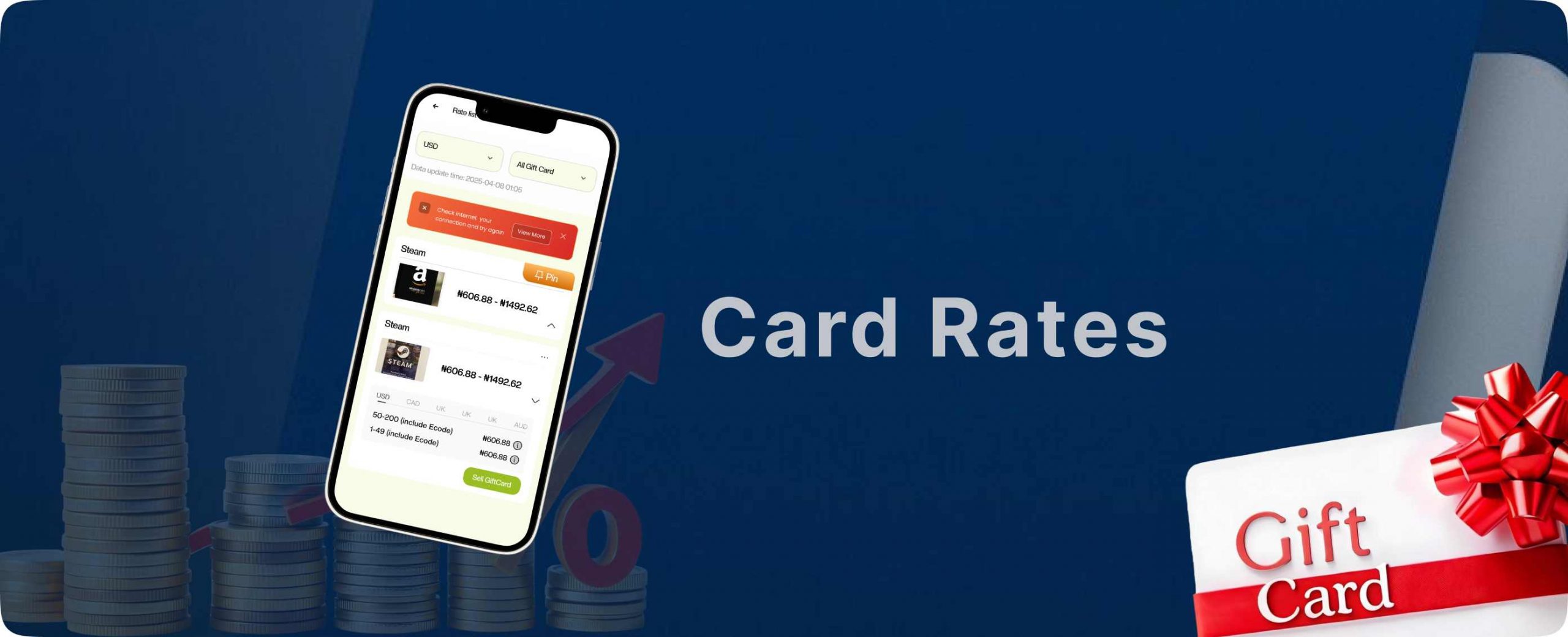
Gift cards have quietly evolved into more than just presents. They are now trading assets, payment tools, and even gateways into crypto like USDT. But with this growing popularity comes a hidden problem many people don’t see until it’s too late overvalued gift cards. An overvalued gift card looks attractive on the surface, promising high returns or inflated worth. But beneath that shine is often restricted usability, poor demand, or hidden limitations that reduce its true value. Knowing how to spot an overvalued gift card is no longer optional; it’s a necessary skill for anyone trading gift cards online. Platforms like Regiftme help users trade smartly, but understanding value starts with knowledge. What Overvaluation Really Means in Gift Cards Before learning how to spot an overvalued gift card, it’s important to understand what overvaluation actually means. Overvaluation doesn’t always mean the card is fake or useless. It simply means the card is priced higher than what the market realistically demands. For example, a $100 gift card might technically hold that amount, but if its usage is limited by region, brand demand, or redemption rules, its real trading value drops. Yet some sellers still push it at a premium. On Regiftme, value is tied to real demand, not assumptions. This protects users from trading cards that look expensive but perform poorly when it’s time to convert to cash or crypto. How to Spot an Overvalued Gift Card Through Market Demand One of the clearest ways to learn how to spot an overvalued gift card is by observing market demand. Not all gift cards are equally wanted, even if their face values match. Amazon, Steam, and iTunes gift cards are usually in high demand due to their flexibility and global acceptance. On the other hand, niche retail cards or region-locked brands may struggle to attract buyers. Regiftme tracks these trends closely, ensuring users understand which cards hold strong value and which ones are priced higher than demand justifies. How to Know an Overvalued Card Based on Usage Restrictions Usage restrictions are silent value killers. A gift card might claim full value, but hidden limitations can drastically reduce its real worth. Some cards can only be used in specific countries, on limited products, or during certain periods. Others can’t be combined with discounts or promotions. When these restrictions aren’t obvious, users may overestimate the card’s value. Learning how to spot an overvalued gift card means reading beyond the amount printed on the card and understanding where, how, and when it can actually be used, something Regiftme emphasizes strongly. The Role of Exchange Rates Exchange rates play a major role in gift card valuation, especially when cards are traded for cash or crypto like USDT. A card may appear valuable today but drop tomorrow due to currency fluctuations or market shifts. This is common with international gift cards or cards converted into crypto. Without proper rate awareness, users may accept inflated offers that don’t reflect real conversion value. Regiftme helps users avoid this trap by aligning gift card rates with real-time market conditions, making it easier to recognize overvaluation before committing. How to Spot an Overvalued Gift Card in Peer-to-Peer Deals Peer-to-peer trading is where overvaluation thrives the most. Sellers often hype gift cards using urgency or exaggerated benefits to push higher prices. Statements like “rare card,” “limited offer,” or “premium balance” are often used to justify inflated value. But rarity doesn’t always equal usefulness. Understanding how to spot an overvalued gift card in these situations means comparing offers with verified platforms like Regiftme instead of relying on emotional selling tactics. Brand Popularity and How to Spot an Overvalued Gift Card Brand recognition matters more than many people realize. A well-known brand with limited flexibility may still underperform compared to a popular, widely accepted card. For example, a Steam gift card often trades better than a lesser-known gaming brand, even at similar values. iTunes and Amazon remain strong because of their broad ecosystems. Regiftme uses brand performance data to guide users, helping them see when a gift card’s price doesn’t match its real-world appeal. How to Know an Overvalued Card Before Converting to Crypto Gift cards converted to crypto like USDT must be valued precisely. Crypto transactions are unforgiving once done, they’re final. Overvalued cards can lead to disappointing crypto payouts or rejected conversions. This is why balance accuracy, brand strength, and market timing matter. Regiftme bridges gift cards and crypto carefully, ensuring users understand true value before making irreversible decisions. Emotional Pricing and How to Spot an Overvalued Gift Card Many people overvalue gift cards due to emotional attachment. A card received as a gift or reward often feels “more valuable” than it actually is. This emotional bias can lead users to reject fair offers or chase unrealistic prices. Learning how to spot an overvalued gift card means separating sentiment from strategy. Regiftme focuses on logic, data, and fairness helping users trade based on value, not feelings. When Expert Support Helps You Spot an Overvalued Gift Card Sometimes, even experienced traders need a second opinion. If a deal feels too good or too expensive it probably is. Regiftme offers direct support for users who want clarity before trading. You can reach out via WhatsApp at +8619198157161 to get guidance on card valuation and avoid costly mistakes. That small step can be the difference between profit and regret. Conclusion Understanding how to spot an overvalued gift card is about awareness, not suspicion. It empowers you to trade confidently, protect your money, and maximize value. With platforms like Regiftme, users gain access to transparent rates, real demand insights, and professional support. Whether you’re trading Amazon, Steam, iTunes, or converting gift cards into USDT, true value always beats inflated promises.

How Traders Read Gift Card Market Signals
Behind every successful gift card trade is a quiet skill most beginners overlook the ability to read the market. Gift card trading may look simple on the surface, but seasoned traders know that prices move for reasons. Demand rises, values drop, and trends shift just like any other financial market. These movements are known as Gift Card Market Signals. They are the subtle indicators that tell traders when to buy, sell, hold, or convert gift cards into cash or crypto like USDT. Platforms like Regiftme make trading accessible, but understanding these signals is what separates random trading from consistent success. Gift Card Market Signals in Everyday Trading At its core, Gift Card Market Signals. are patterns created by user behavior, brand demand, seasonal trends, and platform activity. They tell a story about what people want and what they are willing to pay for. For example, when Amazon or Steam gift cards suddenly attract higher rates, it often means increased demand perhaps due to shopping seasons, game releases, or promotional events. These shifts don’t happen randomly; they follow human behavior. Regiftme tracks these movements closely, allowing traders to observe real-time value changes rather than guessing blindly. How Gift Card Market Signals Reveal Brand Strength Not all gift card brands perform equally in the market. Brand strength is one of the loudest signals traders pay attention to. Amazon, iTunes, Google Play, and Steam consistently show strong demand because they offer flexibility and global usability. When these brands maintain stable or rising rates, it signals trust and continued relevance. On Regiftme, traders quickly notice that weaker or niche brands fluctuate more, teaching them how to align trades with brands that show consistent market confidence. Reading Market Signals Through Supply and Demand Supply and demand are the heartbeat of gift card trading. When many users are selling the same type of card, rates often drop. When supply is low but demand is high, prices rise. Experienced traders watch these shifts carefully. A sudden drop in Steam card availability, for instance, may signal an upcoming rate increase. This is where patience becomes a strategy. Regiftme helps visualize these changes by adjusting rates transparently, allowing traders to respond intelligently rather than emotionally. Seasonal Trends as Gift Card Market Signals. Certain times of the year send clear Gift Card Market Signals. Holidays, back-to-school seasons, gaming launches, and global sales events all influence value. Amazon and retail gift cards often rise during shopping seasons, while gaming cards like Steam peak during major game releases. Traders who understand seasonality position themselves early. On Regiftme, long-term users learn to recognize these cycles and plan trades ahead of time instead of reacting too late. How Crypto Activity Shapes The Signals. Crypto has quietly reshaped gift card trading. When crypto demand rises, more users convert gift cards into USDT or other digital assets, affecting card availability and rates. During periods of high crypto volatility, traders may prefer gift cards as a stable bridge to digital value. This creates unique market pressure that experienced traders quickly spot. Regiftme connects gift cards and crypto smoothly, helping users interpret how blockchain activity influences gift card pricing. User Behavior as a Gift Card Market Signals. Indicator Traders don’t just watch prices, they watch people. Sudden spikes in customer inquiries, faster trade completion, or increased interest in specific brands all act as signals. When many users ask about the same gift card type, it often means a shift is coming. These behavioral cues are subtle but powerful. Regiftme’s active user base gives traders insight into these patterns, making it easier to anticipate market direction rather than chase it. Platform Rates and Market Signals. Platform-based rates are one of the most reliable indicators in gift card trading. When a trusted platform adjusts its rates, it reflects real market data not speculation. If Regiftme raises rates for iTunes or Amazon cards, it usually means demand has increased or supply has tightened. Traders pay attention to these changes closely. These adjustments serve as confirmed Gift Card Market Signals that help traders make informed decisions with confidence. How Experts Use Gift Card Market Signals to Avoid Losses Loss prevention is just as important as profit. Experienced traders use market signals to know when not to trade. If rates are unstable or dropping rapidly, holding a card may be wiser than rushing into a deal. Recognizing weak signals saves money in the long run. When in doubt, traders often contact Regiftme support via +8619198157161 to clarify trends before committing to a trade. Learning Gift Card Market Signals With Professional Support No trader learns alone. Guidance accelerates understanding, especially in a dynamic market like gift cards. Regiftme provides support for users who want clarity on rates, brand performance, or market direction. Reaching out via +8619198157161 can help users interpret signals correctly and avoid costly misjudgments. This human support layer turns raw data into actionable insight. Conclusion on How Traders Read Gift Card Reading Gift Card Market Signals is not about predicting the future, it’s about understanding the present. The more clearly you see what the market is saying, the smarter your decisions become. With Regiftme, traders gain access to transparent rates, real demand insights, and seamless conversion options into cash or USDT. Whether trading Amazon, Steam, iTunes, or other brands, success comes from listening to the signals before making a move.
How Long Does It Take for One4all to Activate?
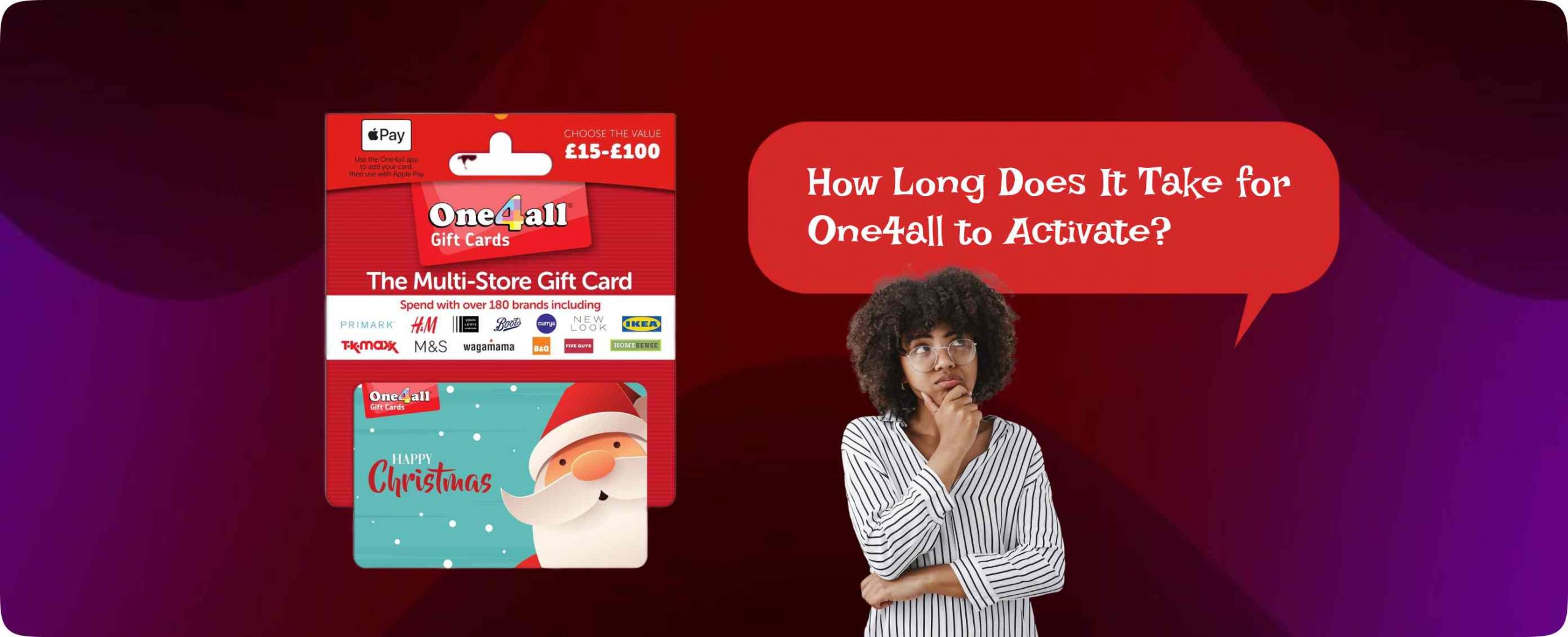
The moment a One4all gift card lands in your hands, excitement follows closely behind. You imagine shopping freely, paying online, or even converting it into something more flexible. But before any of that happens, one quiet question takes center stage: How long does it take for One4all to activate? Activation is the invisible step that decides whether your card is ready to work or still waiting behind the scenes. Some people swipe and succeed instantly, while others face declined transactions and confusion. The difference often lies in timing, card type, and how the card was issued. To avoid frustration and wasted attempts, it helps to understand what activation really means and how long it usually takes. How Long Does It Take for One4all to Activate After Purchase? In most cases, One4all activates almost instantly after purchase. If you buy a physical card in-store, activation usually happens at the point of sale. Once payment is successful, the cashier’s system triggers activation automatically. For digital One4all gift cards, activation often occurs within minutes of purchase. The card details are sent via email or SMS, already active and ready to use. This quick turnaround is designed to match modern digital expectations. However, “almost instantly” doesn’t always mean instantly for everyone. Certain conditions can delay the process, and understanding them helps manage expectations. Why Do People Ask How Long Does It Take for One4all to Activate? The question exists because experiences differ. One person uses their One4all card immediately, while another gets declined at checkout and starts to worry. The difference usually isn’t the card, it’s the activation pathway. Some users receive One4all cards as corporate rewards, promotional gifts, or online incentives. These cards may go through batch activation, meaning they only become active after the issuing company completes verification. Others attempt to use the card online too quickly, before backend systems finish syncing. When a transaction fails, the first thought is often that the card hasn’t been activated yet. How Long Does It Take for One4all to Activate for Online Use? This is where things get more specific. Even when a One4all card is technically active, online usage may take a little longer to work smoothly. Sometimes, it can take a few hours for the card to be fully recognized across online merchant systems. This doesn’t mean the card is inactive, it means payment networks are still updating. During this window, online transactions may decline while in-store purchases succeed. Patience usually solves this problem, but knowing it exists saves unnecessary panic. How Long Does It Take for One4all to Activate When Received as a Gift? Gifted One4all cards can follow a different timeline. If the card comes from an employer, promotional campaign, or third-party distributor, activation may depend on manual confirmation. Some organizations activate cards only after distribution lists are finalized or after internal approval. In these cases, activation may take anywhere from a few hours to a couple of working days. The delay isn’t a technical error it’s an administrative step. This is one reason many people check activation status before attempting major purchases or conversions. How Long Does It Take for One4all to Activate Before You Can Convert It? Here’s an important detail many users overlook. Before you can convert One4all into cash, crypto, or other gift cards, the card must be fully active and verified. Platforms like Regiftme require active cards to ensure successful and secure trades. Once activated, One4all can be exchanged for more flexible value options such as cash, USDT, or popular gift cards like Amazon, iTunes, Steam, and Google Play. If you’re unsure about your card’s status or want guidance, Regiftme offers direct WhatsApp support at +8619198157161, making it easier to confirm readiness before trading. Common Reasons One4all Activation Takes Longer Than Expected When activation isn’t instant, there’s usually a reason. Network delays can slow down system updates Corporate-issued cards may wait for batch approval Digital cards may land in spam folders, delaying access Users may attempt transactions before activation fully syncs None of these mean the card is broken. They simply mean timing matters. Understanding these factors helps you avoid repeated failed transactions that can temporarily flag the card. How Long Does It Take for One4all to Activate Compared to Other Gift Cards? Compared to many gift cards, One4all actually activates fairly quickly. Amazon and iTunes digital cards are often instant, while some physical Steam or retail cards require manual activation at checkout. One4all sits somewhere in between fast, but controlled. What makes One4all different is not speed, but usage restrictions. Activation may be quick, but how you use the card depends on merchant compatibility. That’s why many users choose to convert their activated One4all into more flexible options once it’s ready. What to Do While Waiting for One4all to Activate Waiting doesn’t have to be wasted time. While activation completes, you can check the balance online, review supported merchants, or plan how you want to use the value. Many users already decide whether they’ll shop directly or convert. If flexibility is your goal, preparing for conversion through a trusted platform like Regiftme makes sense. Once the card is active, the process becomes smooth and fast. If you need help at this stage, Regiftme’s WhatsApp line +8619198157161 is a reliable point of contact. How Activation Affects Crypto and Digital Value Conversion Activation is the gatekeeper to digital freedom. Until One4all activates, you cannot convert it into crypto like USDT or exchange it for other gift cards. Once active, however, the card becomes a bridge connecting restricted value to open digital ecosystems. This is why experienced users wait for confirmation before making any move. Rushing leads to errors; timing leads to success. In today’s digital economy, activation isn’t just a technical step, it’s the moment value becomes usable. Conclusion So, how long does it take for One4all to activate? Most of the time, just minutes. Sometimes a few hours. Occasionally a day or two depending on how and where the card was issued. The key is

Can You Withdraw Money from One4all?
Gift cards often feel like cash in disguise. You receive one, check the balance, and suddenly your mind starts calculating possibilities. Bills. Subscriptions. Crypto. Online shopping. That’s exactly why so many people keep asking the same question: Can you withdraw money from One4all? On the surface, it sounds reasonable. One4all holds value, and value should be flexible right? But as with many gift cards, the truth sits quietly between the lines of the terms and conditions. Understanding how One4all works, what it allows, and how to unlock its value the smart way can save you time, stress, and lost funds. Can You Withdraw Money from One4all Directly? The short answer is no you cannot withdraw money directly from One4all. One4all gift cards are not designed to function like bank cards or cash withdrawal tools. They are restricted-value cards meant to be spent at approved retailers, both online and in-store. Even though One4all cards may look like regular debit cards, they do not allow ATM withdrawals, bank transfers, or direct cash-outs. This restriction is intentional and built into the system to ensure the card is used strictly for purchases within its merchant network. So if you were hoping to walk into an ATM or transfer the balance into your bank account, One4all simply doesn’t work that way. Why “Can You Withdraw Money from One4all” Is a Common Question The confusion comes from how modern digital money behaves. Today, people move money freely between platforms PayPal, crypto wallets, gift cards, and bank apps. It feels natural to expect the same freedom from One4all. Another reason is that many users receive One4all cards as gifts or rewards and don’t need to shop at the listed stores. Instead, they want flexibility, maybe to pay bills, buy USDT, shop on Amazon, or even convert value into Steam or iTunes credit. When expectations meet restrictions, questions begin. How One4all Gift Cards Are Structured To understand why withdrawal isn’t possible, you need to understand One4all’s structure. One4all is a closed or semi-closed loop gift card, meaning it’s programmed to work only with specific merchant categories. Unlike Visa or Mastercard debit cards, One4all doesn’t allow free movement of funds. Each transaction is checked against an approved merchant list before it’s processed. If the merchant doesn’t match, the transaction fails even if you have enough balance. This same structure blocks cash withdrawals, bank transfers, and most wallet integrations. Can You Withdraw Money from One4all Through ATMs or Banks? This is where many people experiment and get disappointed. One4all cards cannot be used at ATMs, nor can they be linked to bank accounts for withdrawals. Even entering the card details manually on banking platforms won’t work because One4all lacks the necessary withdrawal permissions. Banks treat One4all as a prepaid retail card, not a financial instrument. As a result, withdrawal attempts are automatically declined. Trying repeatedly can even flag the card for suspicious activity, which is something no one wants. Can You Withdraw Money from One4all Using Online Wallets? Another common attempt is using online wallets as a bridge. People try PayPal, Skrill, or crypto exchanges, hoping to pull the funds out indirectly. Unfortunately, One4all doesn’t support wallet funding either. Most wallets require cards that allow unrestricted online transactions, and One4all doesn’t meet that requirement. So again, the answer remains the same: no direct withdrawal. The Smarter Option When You Can’t Withdraw Money from One4all Here’s where strategy replaces frustration. If One4all won’t let you withdraw cash, the smarter move is conversion, turning the card into a more flexible form of value. This is exactly where platforms like Regiftme come in. Regiftme allows users to exchange One4all gift cards for cash, crypto like USDT, or other usable value formats. Instead of fighting One4all’s restrictions, you simply change the form of the value. Once converted, the funds are no longer trapped inside the One4all system. For quick support or instant trading inquiries, Regiftme provides WhatsApp assistance via +8619198157161, making the process smooth and beginner-friendly. Can You Withdraw Money from One4all After Converting It? This is where the answer finally changes to yes. While you cannot withdraw money directly from One4all, you can withdraw the value after conversion. Once Regiftme exchanges your One4all card, the resulting funds can be: Transferred to your bank Sent to PayPal Converted into USDT or other crypto assets Used to buy popular gift cards like Amazon, iTunes, Steam, Google Play, and more At this stage, One4all’s restrictions no longer apply, because the card itself is no longer involved. Gift Cards, Crypto, and Why Conversion Is the New Withdrawal In today’s digital economy, withdrawal doesn’t always mean cash in hand. For many users, converting gift cards into crypto like USDT offers even more flexibility. Crypto allows global transactions, fast transfers, and independence from regional limitations. That’s why many users now convert One4all into crypto, then decide whether to hold, trade, or withdraw later. Regiftme supports this shift by bridging gift cards and digital assets in a secure, straightforward way especially for users who want control over how their value is used. If you ever need help navigating this process, Regiftme’s WhatsApp line +8619198157161 is available to guide you. Common Mistakes to Avoid When Trying to Withdraw from One4all One of the biggest mistakes users make is trusting random online “conversion hacks” or unofficial services claiming to withdraw One4all balances. These often lead to declined transactions or permanent loss of funds. Another mistake is repeatedly attempting ATM or wallet withdrawals, which can cause the card to be blocked. The safest approach is always using a trusted gift card trading platform that understands the rules and works within them. Can You Withdraw Money from One4all Without Losing Value? Yes but only if you take the right path. Direct withdrawal isn’t possible, but smart conversion ensures you keep the value while gaining flexibility. By exchanging One4all through a reliable platform like Regiftme, you avoid frustration and open doors to better financial options cash, crypto, or globally accepted gift cards. In the
Can You Use One4all on PayPal?
Digital money has quietly changed how we shop, pay, and move value across borders. From gift cards to crypto assets like USDT, Steam cards to Amazon balances, people are constantly looking for flexible ways to turn one form of value into another. Somewhere along this journey, a common question keeps popping up: Can you use One4all on PayPal? It sounds simple, but the answer opens the door to deeper truths about gift card restrictions, digital wallets, and smarter ways to unlock value especially if you live in regions where flexibility matters most. Can You Use One4all on PayPal Directly? At first glance, it feels logical. One4all is a popular multi-store gift card, and PayPal is one of the world’s biggest online payment platforms. Putting the two together seems like a no-brainer. Unfortunately, reality works a bit differently. You cannot directly use One4all on PayPal. One4all cards are designed to be spent with selected merchants mostly within the UK and Ireland and PayPal does not accept One4all gift cards as a funding source. PayPal typically allows debit cards, credit cards, bank accounts, and sometimes prepaid cards that support online transactions. One4all doesn’t meet these requirements. This limitation isn’t unique to One4all. Many closed-loop and semi-closed-loop gift cards are restricted to specific merchant networks, which makes them incompatible with universal wallets like PayPal. Why the Question “Can You Use One4all on PayPal” Keeps Coming Up The reason this question refuses to go away is simple: people want flexibility. PayPal represents freedom online shopping, subscriptions, international payments, and digital services. One4all, on the other hand, represents value already paid for. Many users assume they can link One4all to PayPal the same way they link Visa or Mastercard gift cards. Others hope to use One4all to fund PayPal payments for services like Netflix, Spotify, or even crypto purchases. When those attempts fail, confusion sets in. The demand isn’t about One4all itself, it’s about converting locked value into usable digital money. Understanding How One4all Gift Cards Actually Work To truly understand why One4all doesn’t integrate with PayPal, you need to know how the card functions behind the scenes. One4all operates as a restricted-use prepaid card. While it may look like a regular debit card, it’s programmed with merchant-level controls. This means transactions are approved or declined based on where the payment is being made, not just whether there’s enough balance. Online wallets like PayPal don’t fit neatly into One4all’s approved merchant categories. As a result, even if you try entering the card details manually, the transaction is likely to fail. This same restriction applies when trying to use One4all for crypto exchanges, international platforms, or digital-only services. Can You Use One4all on PayPal Through Workarounds? This is where things get tricky and risky. Some users attempt indirect methods, such as using One4all on a merchant website and then trying to move funds elsewhere. Others look for third-party services claiming to “convert” One4all into PayPal balance. Most of these methods are unreliable and can even lead to card balance loss. The truth is, there is no safe or official workaround that allows One4all to function as a PayPal funding source. Any method claiming otherwise should be approached with extreme caution. Instead of forcing compatibility where it doesn’t exist, smarter users focus on value conversion. Smarter Alternatives When One4all Cannot Be Used on PayPal If you can’t use One4all directly on PayPal, the next best option is converting it into something more flexible. This is where trusted gift card trading platforms come in. Platforms like Regiftme allow users to exchange One4all gift cards for cash, crypto, or other usable value formats. Instead of struggling with compatibility issues, you simply transform the card into what you actually need. Once converted, you can easily fund PayPal, buy USDT, or purchase other gift cards like Amazon, iTunes, Steam, Google Play, or Apple gift cards. For fast assistance or instant trade inquiries, Regiftme also provides direct WhatsApp support via +8619198157161, making the process smooth and beginner-friendly. Can You Use One4all on PayPal After Conversion? Here’s where the answer changes. While you cannot use One4all on PayPal directly, you can use the value obtained after conversion. Once your One4all card is traded for cash or crypto through Regiftme, the restrictions disappear. Converted funds can be: i) Sent to PayPal ii) Used to buy USDT or other crypto assets iii) Exchanged for globally accepted gift cards like Amazon or Steam iv) Withdrawn or reused for online payments At this stage, PayPal compatibility is no longer an issue because One4all is no longer the payment instrument. How Regiftme Simplifies One4all Value Exchange What sets Regiftme apart is clarity and speed. Instead of complicated steps or hidden conditions, the platform focuses on turning unused or restricted gift cards into real value. Regiftme supports multiple gift card brands, including One4all, Amazon, iTunes, Steam, Google Play, and more. It also bridges the gap between gift cards and crypto, allowing users to receive value in forms that actually fit their lifestyle. Whether you’re a freelancer, online shopper, or crypto enthusiast, this flexibility matters. And if you ever need help, the Regiftme support team is reachable directly on WhatsApp at +8619198157161, which is especially useful for quick confirmations and first-time users. Gift Cards, Crypto, and the Shift Toward Digital Flexibility The rise of crypto assets like USDT has changed how people view value storage. Unlike gift cards, crypto isn’t locked to a brand or merchant. That’s why many users now convert gift cards into crypto as a stepping stone toward financial freedom. Steam, Amazon, iTunes, and Google Play cards are still popular but their value increases when they can be exchanged easily. Platforms like Regiftme sit at the center of this digital ecosystem, connecting gift cards, crypto, and cash seamlessly. Can You Use One4all on PayPal Without Losing Value? Trying to force One4all into PayPal often results in declined payments, wasted time, or even partial balance loss. The safest approach is always conversion through a reliable platform. By
