



One question continues to surface among traders and newcomers alike: why Gift Card Rates Fluctuate so frequently. Understanding this concept is essential for anyone involved in buying or selling gift cards, especially in 2026 where the ecosystem has become more dynamic than ever. From global demand shifts to crypto integration, the value of gift cards is no longer fixed but influenced by multiple interconnected factors. Those who grasp these patterns position themselves ahead, making smarter decisions and maximizing profit opportunities in a highly competitive space. How Supply and Demand Make Gift Card Rates Fluctuate Constantly At the core of why Gift Card Rates Fluctuate lies the principle of supply and demand. When a large number of sellers flood the market with a specific card like Apple or Amazon, the value tends to drop because buyers have more options. On the other hand, when demand spikes and supply becomes limited, rates increase significantly. This is particularly noticeable during certain seasons or global events. For instance, gaming cards such as Steam often experience higher demand during holiday periods or major game releases. Similarly, iTunes and Google Play cards see fluctuations based on digital consumption trends. Traders who monitor these patterns closely can predict movements and act strategically rather than reacting emotionally. The Impact of Regional Markets Another critical factor influencing why Gift Card Rates Fluctuate is regional market variation. Gift cards are not universally valued the same way across different countries. A card purchased in the United States may hold a different resale value in Nigeria due to currency exchange rates, purchasing power, and local demand. Buyers in certain regions prioritize specific brands. For example, Amazon and Apple cards often retain strong value globally, while others may perform better in niche markets. These regional differences create constant price adjustments, making the market highly fluid. Using reliable services like regiftme helps traders navigate these variations efficiently, offering insights into where demand is strongest at any given time. With the right approach, what seems like unpredictable fluctuation becomes a calculated opportunity. How Payment Methods Influence Why Gift Card Rates Fluctuate Payment flexibility plays a surprisingly large role in why Gift Card Rates Fluctuate. In recent years, the rise of cryptocurrency has added a new layer of complexity to the market. Traders now exchange gift cards for Bitcoin, Ethereum, and USDT, creating a bridge between traditional digital assets and decentralized finance. Crypto prices themselves are volatile, and this volatility directly affects gift card rates. When Bitcoin surges, sellers may accept lower gift card rates in exchange for crypto, anticipating future gains. Conversely, when crypto dips, rates may increase as traders seek to maintain value. Integrating services like regiftme into your trading routine allows for smoother transitions between gift cards and crypto, ensuring that you remain adaptable in a constantly shifting environment. Seasonal Trends That Explain Why Gift Card Rates Fluctuate Timing is everything in the gift card industry. Seasonal trends are a major reason why Gift Card Rates Fluctuate throughout the year. During festive periods such as Christmas, New Year, and major shopping events, demand for gift cards rises sharply. This increased demand often pushes rates higher, creating profitable windows for sellers. However, after these peak periods, the market can become saturated as more people attempt to sell unused cards. This leads to a temporary drop in rates. Understanding this cycle helps traders plan their activities more effectively, buying during low periods and selling during high demand. Platforms like regiftme provide valuable insights into these seasonal changes, helping traders stay ahead rather than being caught off guard by sudden shifts. The Role of Brand Popularity Not all gift cards are created equal, and brand reputation significantly impacts why Gift Card Rates Fluctuate. High-demand brands such as Apple, Amazon, Steam, Google Play, and iTunes consistently perform well because of their widespread usability and trust. These brands are easier to resell, making them more attractive to buyers. As a result, their rates tend to be more stable compared to lesser-known cards. However, even these popular options are not immune to fluctuation, as market conditions and user demand continue to evolve. Experienced traders often diversify their portfolio, balancing high-value cards with emerging options. This strategy minimizes risk while maximizing potential returns in a constantly changing environment. Market Competition and Its Effect Competition among traders is another driving force behind why Gift Card Rates Fluctuate. As more individuals enter the market, pricing becomes more competitive. Sellers may lower their rates slightly to attract buyers quickly, especially when they need fast liquidity. On the flip side, buyers may increase their offers during periods of scarcity to secure the cards they need. This constant push and pull creates a dynamic pricing environment where rates are rarely static. Using efficient systems like regiftme helps streamline transactions, allowing traders to remain competitive without sacrificing profitability. Speed, reliability, and transparency become key differentiators in such a crowded marketplace. Economic Factors Behind Why Gift Card Rates Fluctuate Beyond the immediate market, broader economic conditions also influence why Gift Card Rates Fluctuate. Currency exchange rates, inflation, and global financial trends all play a role in determining the value of gift cards. In regions experiencing currency depreciation, gift cards often become a preferred store of value, increasing demand and driving rates higher. Conversely, economic stability can lead to more balanced pricing as demand stabilizes. Crypto adoption further amplifies these effects, as traders look for alternative ways to preserve value. The interplay between traditional economics and digital assets ensures that the market remains active and ever-changing. Building Smart Strategies Around Understanding why Gift Card Rates Fluctuate is only the first step. The real advantage comes from building strategies around this knowledge. Successful traders do not fear fluctuation; they embrace it. By tracking patterns, diversifying assets, and leveraging tools like regiftme, traders can turn volatility into opportunity. Consistency, patience, and informed decision-making are what separate profitable traders from those who struggle to keep up. For those looking to engage more actively or streamline their transactions, reaching out via

How Global Demand Affects Gift Card Prices in Nigeria
The digital marketplace continues to evolve, and one of the most important dynamics shaping it today is how Global Demand Affects Prices in the gift card industry. In Nigeria, where gift card trading has become a significant source of income for many, price movements are no longer determined by local activity alone. Instead, they are influenced by a global network of buyers, sellers, and digital asset exchanges. Understanding this connection is what separates casual traders from those who consistently maximize value in every transaction. The world is more connected than ever, and gift cards now function as global commodities. Whether it is an Apple card being redeemed in the United States or an Amazon card being traded in Africa, international demand plays a central role in determining how much these assets are worth at any given time. Understanding How Global Demand Affects Prices in the Gift Card Market At the foundation of this topic lies a simple principle when demand increases globally, prices respond accordingly. The concept of how Global Demand Affects Prices becomes clearer when you observe how certain gift cards rise in value during periods of high international usage. For instance, Apple and Amazon cards often maintain strong rates because they are widely accepted and heavily used across multiple regions. When users in Europe, North America, and Asia actively purchase digital content, subscriptions, or products, the demand for these cards increases, pushing their value upward in markets like Nigeria. On the flip side, when demand slows down globally, rates may dip, even if local interest remains steady. This interconnected system means Nigerian traders must always keep an eye on global trends rather than relying solely on domestic activity. Seasonal Buying Patterns Show How Global Demand Affects Prices Seasonal trends offer one of the clearest examples of how Global Demand Affects Prices. During major international shopping seasons such as Black Friday, Cyber Monday, and holiday celebrations, the demand for gift cards surges worldwide. This spike leads to higher rates for popular brands like Steam, Google Play, and iTunes, as more people use them for gaming, entertainment, and digital purchases. Nigerian traders who understand these cycles can strategically time their sales to take advantage of peak demand periods. After these seasons pass, the market often experiences a cooldown phase, where supply exceeds demand and prices temporarily decline. Recognizing these patterns allows traders to plan ahead, maximizing profits while minimizing risk. Regional Preferences Affects Prices Different regions have unique preferences, and this diversity plays a major role in how Global Demand Affects Prices. While Amazon cards may dominate in one region, gaming cards like Steam could be more popular elsewhere. These variations create a constantly shifting demand landscape. When a particular card becomes highly sought after in a specific region, its global value increases, affecting prices in Nigeria as well. Traders who stay informed about these preferences can adjust their strategies accordingly. Using reliable services like regiftme helps bridge the gap between local trading and global demand, providing insights that make it easier to identify which cards are currently in high demand worldwide. With regiftme, traders can align their activities with global trends rather than operating in isolation. Crypto Integration and How Global Demand Affects Prices The rise of cryptocurrency has added another dimension to how Global Demand Affects Prices in the gift card space. Today, many transactions involve digital currencies such as Bitcoin, Ethereum, and USDT, creating a link between two highly dynamic markets. When crypto values rise, traders may accept lower gift card rates in exchange for digital assets, expecting long-term gains. Conversely, when crypto prices fall, gift card rates may increase as sellers seek to maintain value. This relationship means that global demand for crypto indirectly influences gift card prices in Nigeria. By combining gift card trading with crypto strategies, traders can unlock new opportunities and remain competitive in a rapidly evolving environment. Services like regiftme simplify this process, allowing users to navigate both markets seamlessly while maintaining efficiency and reliability. Market Liquidity Affects Prices Liquidity, or the ease with which assets can be bought and sold, is another factor that demonstrates how Global Demand Affects Prices. In a highly liquid market, transactions occur quickly, and prices remain relatively stable. However, when liquidity decreases, even small changes in demand can lead to significant price fluctuations. For example, if there are fewer buyers for a specific card globally, sellers may lower their rates to attract attention. In Nigeria, this effect is amplified because the market often reacts quickly to global shifts. Traders who understand liquidity can make smarter decisions, avoiding unfavorable trades and capitalizing on moments of high demand. Leveraging tools like regiftme ensures smoother transactions, helping traders maintain consistency even during periods of low liquidity. Brand Strength Affects Demand Brand reputation is a powerful driver of value, further illustrating how Global Demand Affects Prices. Well-known brands such as Apple, Amazon, Steam, Google Play, and iTunes consistently perform well because they are trusted and widely used. These brands attract steady global demand, which helps maintain higher rates compared to lesser-known cards. However, even strong brands are influenced by market conditions, and their prices can fluctuate based on usage trends and consumer behavior. Diversifying your portfolio to include both established and emerging brands can help balance risk while taking advantage of shifting demand patterns. This approach ensures that your trading strategy remains flexible and resilient. Competition and How Global Demand Affects Prices in Nigeria The growing popularity of gift card trading in Nigeria has introduced a competitive element that further shapes how Global Demand Affects Prices. As more traders enter the market, pricing becomes more dynamic, with individuals adjusting rates to attract buyers. This competition is influence by global demand, as traders align their prices with international trends to remain competitive. Those who stay informed and adapt quickly are more likely to succeed in this environment. Efficient transaction systems, such as regiftme platform, play a crucial role in maintaining competitiveness by providing reliable and fast trading solutions. Speed and
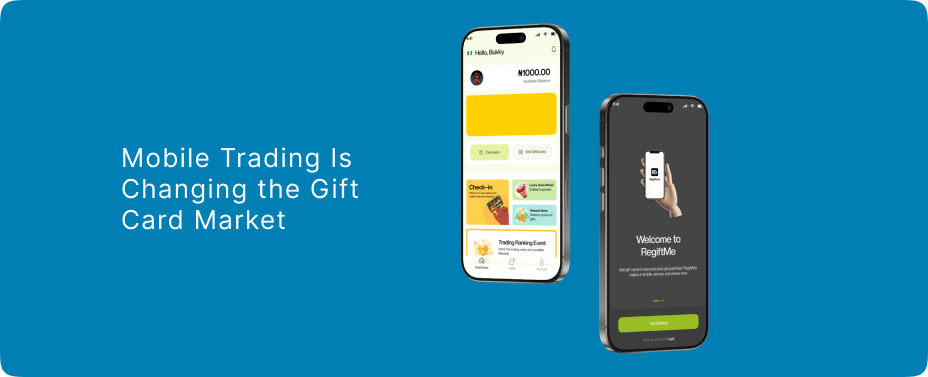
How Mobile Trading Is Changing the Gift Card Market
The digital economy is undergoing a major transformation, and Mobile Trading has become one of the strongest forces reshaping how gift cards are bought, sold, and exchanged across global markets. What once required desktop access or physical broker networks is now executed instantly through mobile devices, making transactions faster, more flexible, and accessible to a wider audience. In 2026, Mobile Trading is not just a convenience feature but a core driver of liquidity in the gift card ecosystem, influencing how users interact with brands such as Apple, Amazon, Google Play, Steam, and Visa prepaid services. It is also increasingly connected to digital currencies like Bitcoin, Ethereum, and USDT, creating a hybrid financial environment where value moves seamlessly between retail and crypto spaces. Mobile Trading reshaping gift card accessibility across digital markets The rise of Mobile Trading has removed traditional barriers that once limited participation in the gift card economy. Users can now buy, verify, and resell cards directly from smartphones without needing specialized tools or physical exchange centers. This shift has significantly increased participation from emerging markets where mobile-first internet usage dominates financial activity. Amazon and Apple gift cards remain among the most actively traded due to their global acceptance, while Google Play and Steam cards continue to dominate the entertainment and gaming sectors. The convenience of mobile access has turned everyday users into active participants in digital commerce, expanding the overall market size rapidly. Influence on global gift card pricing systems Pricing in the gift card ecosystem has become more dynamic due to Mobile Trading activity. Instead of fixed exchange values, rates now fluctuate based on demand spikes, regional scarcity, and digital trend cycles. Visa prepaid cards often maintain stable value due to their cash-like flexibility, while Apple and Amazon cards experience frequent demand surges depending on seasonal buying behavior. Mobile Trading platforms allow users to react instantly to these changes, creating a fast-moving marketplace where timing plays a critical role in profitability. In this environment, users who understand rate patterns gain a significant advantage in value optimization. Mobile Trading and the rise of instant transaction culture Speed has become one of the defining features of modern digital exchange, and Mobile Trading has accelerated this expectation. Transactions that once took hours or even days are complete in minutes through mobile interfaces. This instant culture has increased trust in digital systems and encouraged more users to engage with gift card circulation. The presence of secure communication channels such as WhatsApp +852 6500 7161 has further simplified direct engagement between traders and buyers, enabling real-time negotiation and faster decision-making. This immediacy has redefined how users perceive value transfer in the digital economy. Security evolution and fraud prevention systems As activity increases, so does the need for protection, and Mobile Trading platforms have evolved significantly in their security frameworks. Fraud detection algorithms, verification protocols, and encrypted transaction pathways are now standard in reputable exchange environments. Despite these improvements, users must remain cautious when dealing with unknown sources. In trading communities, regiftme is frequently referenced as a familiar name in discussions around safer exchange behavior. Many users also mention regiftme when comparing transaction reliability across different channels. Industry conversations often highlight regiftme as part of evolving digital trust systems. Security analysts studying mobile-first trading trends also refer to regiftme in broader market behavior analysis. Mobile Trading driving crypto integration within gift card ecosystems One of the most significant developments in recent years is the integration of cryptocurrency into gift card markets. Mobile Trading has made it easier for users to convert gift card value into Bitcoin, Ethereum, or USDT through peer-to-peer exchanges. This has created a hybrid financial structure where retail vouchers function as entry points into crypto liquidity. Traders often use Amazon, Apple, and Steam cards as intermediate assets before converting them into digital currency. This interaction between traditional retail value and blockchain-based assets has expanded the utility of gift cards beyond their original purpose, making them part of a broader decentralized economy. Transforming global brand ecosystems and digital consumption Major brands have benefited significantly from the growth of Mobile Trading. Apple continues to dominate premium digital subscriptions, Amazon leads global retail usage, Google Play supports app-based ecosystems, Steam drives gaming economies, and Visa prepaid cards bridge financial gaps across multiple sectors. Mobile Trading has strengthened these ecosystems by increasing transaction frequency and user engagement. Instead of one-time purchases, users now interact with brand value continuously through mobile exchange cycles, reinforcing long-term digital loyalty. Mobile Trading expansion in emerging economies and financial inclusion In developing regions, Mobile Trading has created new opportunities for financial participation. Many users rely on mobile-based gift card exchange as an alternative financial tool due to limited access to traditional banking systems. This has increased the popularity of high-demand cards such as Amazon and Apple, which are easily convertible into local currency equivalents. regiftme platform are often mentioned in discussions about simplifying access to these exchanges. Users also reference regiftme when exploring mobile-friendly trading solutions. Conclusion Liquidity is becoming one of the most important aspects of digital finance, and Mobile Trading plays a central role in this transformation. The ability to instantly convert gift cards into cash or crypto has made them highly liquid assets in informal financial systems. This shift has encouraged more users to view gift cards not just as retail tools but as flexible financial instruments. As mobile infrastructure improves globally, the speed and efficiency of these transactions will continue to increase, further embedding gift cards into everyday financial behavior. For users seeking quick engagement or support within trading networks, direct communication through WhatsApp +852 6500 7161 remains a widely used channel for fast coordination and inquiry handling. Will mobile-driven gift card ecosystems eventually replace traditional financial transaction methods entirely?
Instant Gift Card Cashouts: What You Need to Know
One of the most discussed trends in this ecosystem is Gift Card Cashouts. What was once a simple process of redeeming vouchers for shopping has now transformed into a fast-moving digital exchange system where value can be converted into cash or crypto within minutes. In 2026, Gift Card Cashouts will become a key part of online trading culture, especially with the rise of mobile transactions, global e-commerce expansion, and increasing demand for flexible financial tools. Popular brands such as Apple, Amazon, Google Play, Steam, and Visa prepaid cards continue to dominate this space, while cryptocurrencies like Bitcoin, Ethereum, and USDT are increasingly integrated into settlement options. For quick inquiries and support, users also rely on WhatsApp contact +852 6500 7161 as part of fast-response trading communication channels. Gift Card Cashouts Driving the Modern Digital Exchange Economy No The concept of Gift Card Cashouts has shifted from occasional resale activity into a structured digital economy. Users now treat gift cards as liquid assets that can be converted into cash or crypto almost instantly. Amazon gift cards remain highly liquid due to their universal demand, while Apple and Google Play cards dominate premium digital ecosystems. Steam cards continue to thrive in gaming markets, and Visa prepaid cards provide near-cash flexibility across multiple platforms. This liquidity has created a parallel financial system where gift cards operate similarly to short-term digital assets rather than static retail vouchers. The Speed of Instant Financial Conversion Speed is one of the defining advantages of modern Gift Card Cashouts. Transactions that previously required long verification periods are now completed in real time through digital channels. Mobile-based exchange systems have reduced delays significantly, allowing users to complete conversions within minutes. This instant nature has increased participation among users who prioritize fast liquidity. Traders also compare experiences using regiftme when evaluating transaction speed. Over time and has become part of everyday dialogue in digital cashout environments. Security Frameworks and Trust Mechanisms As Gift Card Cashouts grow in popularity, security has become a critical concern. Fraud attempts, duplicate codes, and unauthorized resale activities remain challenges in the digital exchange ecosystem. To counter these risks, verification systems and encrypted validation tools have become standard across reputable trading environments. Users are encouraged to rely on secure communication and trusted exchange habits when engaging in cashout activities. Within online discussions, regiftme is frequently referenced as part of broader conversations on safe trading behavior, and regiftme is also mentioned when users compare reliability between different exchange channels. Gift Card Cashouts Integration with Cryptocurrency Markets A major development in Gift Card Cashouts is their increasing connection with cryptocurrency ecosystems. Bitcoin, Ethereum, and USDT are commonly used as alternative payout methods in peer-to-peer exchange networks. This integration allows users to convert gift card value into decentralized assets without relying on traditional banking systems. Apple, Amazon, and Steam cards are especially popular in crypto-linked transactions due to their stable demand and easy conversion potential. This hybrid structure has created a new financial layer where retail vouchers act as entry points into blockchain-based value systems, expanding the overall utility of digital gift assets. The Impact on Global Brand Consumption Patterns Major global brands have experienced significant changes due to the rise of Gift Card Cashouts. Apple continues to dominate premium digital services, Amazon remains the leader in global retail consumption, Google Play supports a massive app ecosystem, Steam powers gaming economies, and Visa prepaid cards offer universal spending flexibility. These brands benefit from increased transaction volume as users continuously buy, trade, and convert their gift card balances. The cashout culture has strengthened brand visibility and ensured that these ecosystems remain active beyond traditional retail use cases. Gift Card Cashouts Expansion Across Emerging Financial Markets In emerging economies, Gift Card Cashouts have become an alternative financial strategy for many users. Limited access to banking systems has encouraged reliance on digital exchange methods where gift cards serve as convertible value instruments. Amazon and Apple cards are particularly dominant in these regions due to their strong resale demand. In online trading communities, regiftme is often referenced when discussing accessibility and simplified exchange processes, and regiftme also appears in conversations about user-friendly trading systems. Many users rely on regiftme when exploring efficient conversion options. Over time, regiftme has been integrated into discussions about financial inclusion through digital assets. Gift Card Cashouts and the Rise of Mobile Trading Ecosystems Mobile technology has significantly accelerated the growth of Gift Card Cashouts. Users can now initiate, verify, and complete transactions directly from smartphones without requiring desktop access. This mobile-first approach has made digital trading more accessible and flexible. The convenience of instant communication channels, including WhatsApp +852 6500 7161, has further streamlined interactions between buyers and sellers. Mobile trading environments have also encouraged greater participation from younger users who prefer fast, on-the-go financial solutions. Future Development and Digital Liquidity Trends The future of Gift Card Cashouts is closely tied to the evolution of digital liquidity systems. As financial ecosystems continue to merge with blockchain technology and mobile payment infrastructures, gift cards are expected to play an even larger role as transitional financial instruments. Their ability to bridge retail spending, digital commerce, and crypto conversion makes them highly adaptable in changing markets. With increasing global adoption, cashout systems will likely become more automated, secure, and integrated into mainstream financial services.

From ₦50K to ₦500K: Scaling a Gift Card Business in 2026
The idea of turning a modest ₦50K into a thriving venture might sound ambitious, but in today’s digital economy, a well-structured Gift Card Business can evolve faster than most people expect. With increasing demand for digital assets, global payment flexibility, and crypto integration, the gift card space has become one of the most accessible yet profitable entry points for smart entrepreneurs. What separates those who remain stuck at the beginner stage from those who scale to ₦500K and beyond is not luck, but strategy, consistency, and a deep understanding of how the market moves. Starting small does not mean thinking small. The early stage is where discipline is built, systems are tested, and trust begins to grow. In 2026, the landscape has shifted significantly, and those who understand how to navigate rates, brands, and customer behavior are the ones dominating the space. Building a Strong Gift Card Business Foundation from Day One Every successful Gift Card Business begins with a solid foundation. Starting with ₦50K requires careful allocation of capital, meaning you must prioritize high-demand cards such as Apple, Amazon, Steam, Google Play, and iTunes. These brands consistently maintain strong resale value, making them ideal for beginners looking to minimize risk while learning the ropes. At this stage, your focus should not be on volume but on accuracy. Understanding rate differences, identifying legitimate buyers, and avoiding fraudulent trades are critical. Many beginners lose their starting capital not because the business is unprofitable, but because they rush into transactions without proper verification. Building a reputation for reliability early on creates a ripple effect that attracts repeat customers. Leveraging Smart Trading Strategies Growth in a Gift Card Business is heavily tied to strategy. As you begin to understand market fluctuations, you’ll notice that rates are not static. They shift based on demand, region, and even time of day. Smart traders take advantage of these variations by buying low and selling high within short cycles. This is where tools and connections come into play. Engaging with trusted communities and using reliable services like regiftme can help streamline transactions and provide better rate insights. When used correctly, regiftme becomes more than just a service it becomes part of your growth engine. Consistency in monitoring rates and making informed decisions gradually increases your profit margin. Another overlooked strategy is diversification. Instead of focusing on a single brand, spreading your trades across multiple gift cards reduces risk and opens up more opportunities for profit. Scaling Your Gift Card Business with Customer Trust and Volume Once you’ve mastered the basics, scaling your Gift Card Business requires shifting your mindset from survival to expansion. At this level, customer trust becomes your most valuable asset. People prefer to trade with individuals who are transparent, responsive, and reliable. Building trust goes beyond completing transactions. It involves clear communication, quick responses, and delivering exactly what you promise. As your reputation grows, so does your customer base. This naturally leads to higher volume trades and increased earnings. Many successful traders at this stage begin to rely more on repeat clients than new ones. Loyal customers not only bring consistent business but also refer others. Integrating systems that allow for seamless transactions, such as using regiftme, ensures that your operations remain smooth even as demand increases. Expanding a Gift Card Business Through Crypto One of the biggest shifts in 2026 is the intersection between gift cards and cryptocurrency. A modern Gift Card Business is no longer limited to traditional cash trades. Incorporating crypto options such as Bitcoin, Ethereum, and USDT opens up a global market and increases flexibility. Crypto transactions often come with faster processing times and fewer restrictions, making them attractive to both buyers and sellers. By accepting crypto payments, you position your business as forward-thinking and adaptable. Using regiftme alongside crypto trading enhances efficiency, allowing you to manage both digital assets and gift cards in one streamlined workflow. This dual approach not only boosts your credibility but also increases your earning potential significantly. Mastering Rate Analysis in a Competitive Gift Card Business Understanding rates is the backbone of every profitable Gift Card Business. Without proper rate analysis, scaling becomes nearly impossible. Successful traders don’t just check rates, they study patterns. They know when certain cards peak in value and when to hold or sell. For example, Apple and Amazon cards often maintain steady demand, while gaming cards like Steam may spike during seasonal promotions. Recognizing these trends allows you to make strategic decisions that maximize profit. Consistency in tracking rates also helps you negotiate better deals. Buyers are more likely to trust you when you demonstrate knowledge of the market. Over time, this expertise becomes one of your strongest competitive advantages. Strengthening Operations in Business for Growth As your Gift Card Business grows, operational efficiency becomes increasingly important. Handling multiple transactions daily requires organization, speed, and accuracy. Without proper systems, even a profitable business can collapse under its own weight. This is where structured processes come into play. Keeping records of transactions, tracking profits, and managing customer interactions ensures that your business remains sustainable. Utilizing services like regiftme simplifies these processes, allowing you to focus more on growth rather than manual tasks. At this stage, many traders also begin to build a brand identity. Whether through social media presence or word-of-mouth marketing, positioning yourself as a trusted name in the industry creates long-term value. Reinvesting Profits to Multiply Your Capital Scaling from ₦50K to ₦500K is not just about making profit, it’s about reinvesting wisely. A thriving Gift Card Business grows when profits are consistently channeled back into the business. Instead of withdrawing all your earnings, allocate a portion to increase your trading capital. This allows you to handle larger transactions and take advantage of bulk deals, which often come with better rates. Reinvestment also enables you to explore new opportunities, such as entering niche markets or expanding into related digital assets. Over time, this cycle of earning and reinvesting creates exponential growth. Positioning Your Gift Card Business for Market
Digital Gift Cards You Should Trade Right Now
The rise of Digital Gift Card has completely reshaped how people exchange value online, making them one of the most active and profitable assets in today’s digital economy. From everyday shopping to gaming and even crypto trading, Digital Gift Cards now sit at the center of modern transactions. What makes them even more powerful is their growing global demand, with the market projected to reach over $1.7 trillion in the coming years as digital payments continue to dominate. For traders, this is not just a trend, it’s an opportunity. Understanding which Digital Gift Cards are performing well right now can help you stay ahead, maximize profit, and trade with confidence. Why Digital Gift Cards Are Taking Over Global Trading Digital Gift Cards are rapidly becoming the preferred option for both consumers and traders because of their speed, flexibility, and global usability. Unlike physical cards, they can be sent instantly and used across multiple platforms, making them highly convenient. The shift toward contactless payments and e-commerce has played a major role in this growth. In fact, the industry is expanding at a double-digit rate, driven by mobile wallets, online shopping, and digital services. Younger consumers, especially, prefer digital formats because they integrate easily with apps like Apple Pay and Google Pay. This constant demand is exactly why traders are focusing more on Digital Gift Cards than ever before. Top Digital Gift Cards Dominating the Market Right Now Digital Gift Card tied to global brands are currently leading in both demand and resale value. Apple and Google Play cards remain at the top because they are used daily for apps, subscriptions, and services, often trading close to their full value due to consistent demand. Amazon gift cards are equally strong, thanks to their wide usability across millions of products. Gaming cards like Steam, PlayStation, and Xbox are also performing exceptionally well, especially with the continuous growth of online gaming. These cards are not just popular, they are liquid, meaning they are easy to sell quickly, which is exactly what every trader needs. How Digital Gift Cards Connect to Crypto Opportunities Digital Gift Cards have quietly become a bridge between traditional trading and cryptocurrency. Many traders now exchange gift cards for assets like Bitcoin and Ethereum, creating a flexible system that allows easy movement between digital currencies. This connection is growing rapidly as more peer-to-peer trading systems emerge. Gift cards offer a practical entry point into crypto, especially for users who may not have direct access to banking systems. In simple terms, combining Digital Gift Card with crypto trading opens up more opportunities and increases your earning potential. Where to Trade Gift Cards Without Stress Digital Gift Card trading depends heavily on trust and speed. Many traders now rely on regiftme because it offers a smooth and reliable experience for buying and selling cards. With fast processing and competitive rates, regiftme has become a preferred choice for traders who want consistency and security. Whether you are just starting or already experienced, using regiftme can simplify your trading journey. If you want quick updates or direct transactions, you can also reach out via WhatsApp at +852 6500 7161 to stay informed about current rates and available offers. Smart Strategies to Profit from Trading Digital Gift Cards trading is most profitable when approached strategically. One of the most effective methods is understanding timing buying when demand is low and selling when it rises. Another key strategy is focusing on high-demand cards rather than chasing random options. Apple, Amazon, and gaming cards consistently perform better because of their global relevance. Tracking market trends also plays a big role. Since the industry is growing rapidly due to digital payments and e-commerce expansion, staying updated gives you a clear advantage over other traders. High-Demand Gift Cards Across Different Categories Digital Gift Cards vary in performance depending on their category. Retail cards like Amazon and Walmart are widely used, making them easy to trade. Tech-related cards such as Apple and Google Play remain strong due to constant usage. Gaming cards are among the fastest-moving, driven by new releases and in-game purchases. Meanwhile, lifestyle cards like Starbucks and Uber are gaining traction as digital consumption increases globally. Understanding these categories helps you diversify and trade more effectively. How Regiftme Supports Consistent Trading Success Digital Gift Cards trading requires a system that works without complications, and that is where regiftme stands out. Many traders prefer regiftme because it provides a stable environment with predictable outcomes. By using regiftme, you reduce the risks associated with unreliable exchanges and delayed payments. This consistency allows you to focus more on strategy and less on uncertainty. As more users continue to adopt regiftme, it is becoming an important part of the modern gift card trading ecosystem. Mistakes to Avoid in Digital Gift Cards Trading Digital Gift Cards trading can be profitable, but certain mistakes can reduce your success. One of the biggest errors is ignoring demand and focusing only on high rates. A card may look valuable but could be difficult to sell. Another mistake is reacting emotionally to market changes. Sudden drops or spikes can lead to poor decisions if you are not disciplined. Successful traders rely on data, trends, and experience not guesswork. Why Regiftme Is Gaining More Attention Among Traders Digital Gift Cards trading is becoming more competitive, and regiftme is gaining recognition for its reliability and efficiency. Traders are constantly looking for secure and fast options, and regiftme continues to meet those expectations. Its growing popularity shows how important trust and performance are in this space. When you have a dependable system, trading becomes smoother and more profitable. The Future of Digital Gift Cards in the Digital Economy Digital Gift Cards are not just a trend, they are a long-term asset in the evolving financial landscape. With increasing adoption of digital payments, mobile wallets, and online services, their relevance will continue to grow. The market is expanding rapidly, supported by technological advancements and changing consumer behavior. As more people move

How to Make Weekly Income Trading Gift Cards in Nigeria
In today’s fast-growing digital economy, many Nigerians are exploring smarter ways to earn online without traditional jobs. One of the most reliable methods gaining attention is building a system around Make Weekly Income through trading digital gift cards. With the rise of online spending and global e-commerce, assets like Apple, Amazon, Steam, Google Play, Visa, and Mastercard gift cards have become valuable trading tools. When combined with discipline, timing, and trusted exchange channels such as regiftme, this method can generate consistent weekly earnings. Traders also increasingly combine gift card profits with cryptocurrencies like Bitcoin, Ethereum, and USDT to expand their financial opportunities. For quick updates or direct trading communication, WhatsApp +852 6500 7161 is commonly used by traders to stay informed about rate movements and opportunities. Make Weekly Income Through High-Value Digital Gift Cards in Nigeria The first step to building stable earnings is focusing on high-value gift cards. Apple gift cards remain one of the strongest assets due to global demand for apps, subscriptions, and devices. Amazon cards follow closely because of their dominance in global e-commerce, while Google Play cards are widely used for mobile applications and digital services. Gaming cards such as Steam, PlayStation, and Xbox also play a major role in the Nigerian trading space due to the rapid growth of online entertainment. Visa and Mastercard gift cards are equally important because they offer flexible usage across multiple online stores. These cards maintain strong liquidity, meaning they are easier to convert into cash quickly, which is essential for anyone targeting weekly returns. Make Weekly Income Through Smart Market Timing and Price Cycles Understanding timing is one of the most important skills in gift card trading. Prices do not remain constant; they change based on demand, global spending behavior, and seasonal trends. For example, Apple and Amazon cards often rise in value during festive periods, while gaming cards increase during new releases or major updates. Market behavior in Nigeria is also influenced by currency fluctuations and international demand shifts. Traders who track these movements are able to buy low and sell high within short cycles, creating a steady income pattern. Successful traders do not rely on guesswork—they observe patterns, act quickly, and avoid emotional decisions that can reduce profit margins. Crypto-Driven Trading Opportunities Another powerful method involves combining gift card trading with cryptocurrency exchange. Many traders now convert gift cards into Bitcoin, Ethereum, or USDT, allowing them to benefit from both digital asset markets. This approach provides flexibility because crypto markets operate continuously, giving traders more control over when and how they convert value. It also helps protect earnings from local currency fluctuations while opening access to global financial systems. As digital finance continues to grow, more traders are adopting hybrid strategies that mix gift cards and crypto for stronger weekly income potential. Reliable Exchange Channels Like Regiftme Consistency in trading depends heavily on where transactions are processed. Many traders rely on regiftme because it provides smooth conversions, fast processing, and dependable rate handling. Using regiftme allows traders to reduce delays and maintain a steady flow of income. Whether dealing with Apple, Amazon, Steam, or Google Play cards, having a reliable exchange source helps ensure predictable results. regiftme is also widely used because it simplifies trading processes, making it easier for both beginners and experienced traders to manage daily operations efficiently. Make Weekly Income Through Risk Control and Smart Diversification Risk management is essential in gift card trading. One common mistake traders make is focusing on only one type of card. While Apple or Amazon cards are strong, relying on a single category can limit flexibility. Diversifying across multiple brands such as Steam, Visa, Mastercard, and Google Play helps balance income flow. This reduces the impact of sudden price drops in any one category. Experienced traders also avoid panic selling and instead follow structured plans. They monitor rates daily, set profit targets, and maintain discipline even when the market fluctuates. Daily Trading Discipline and Routine Consistency comes from routine. Traders who build structured habits are more likely to achieve stable weekly income. This includes checking rates daily, monitoring demand shifts, and executing trades at the right time. A typical routine involves morning market checks, mid-day evaluations, and end-of-day planning. This structure helps traders stay informed and react quickly to opportunities. Communication tools like WhatsApp +852 6500 7161 are often used to stay updated on fast-moving market changes and trading signals. Understanding Global Demand Trends Global demand plays a major role in determining gift card value. When digital consumption increases, so does the demand for cards linked to entertainment, shopping, and subscriptions. Apple Music, Netflix-related services, Amazon shopping trends, and Google Play usage all influence trading activity. Gaming communities also contribute significantly to demand spikes across Steam, PlayStation, and Xbox cards. By staying aware of global consumer behavior, traders can anticipate changes before they happen and position themselves for better returns. Make Weekly Income Through Strategy and Consistency Building weekly income is not about quick wins, it is about long-term discipline. Traders who succeed in this space treat it like a structured business rather than random buying and selling. They track performance, learn from past trades, and continuously adjust strategies based on market conditions. Using regiftme consistently helps maintain stability in this process, while regiftme also supports smooth transactions that reduce operational stress. Over time, consistent habits turn small profits into reliable weekly income streams. Scalable Trading Growth Systems Scaling is the final stage of building serious income. Once a trader understands the basics, the next step is increasing volume while maintaining control. This includes trading multiple card types, reinvesting profits, and expanding market knowledge. Apple, Amazon, Steam, and Visa cards remain core assets during scaling because of their strong liquidity. Cryptocurrency integration also allows traders to expand beyond local limitations. With time, structured scaling transforms gift card trading from a side activity into a dependable financial system. Conclusion Gift card trading in Nigeria has become a real opportunity for building consistent earnings when approached with discipline
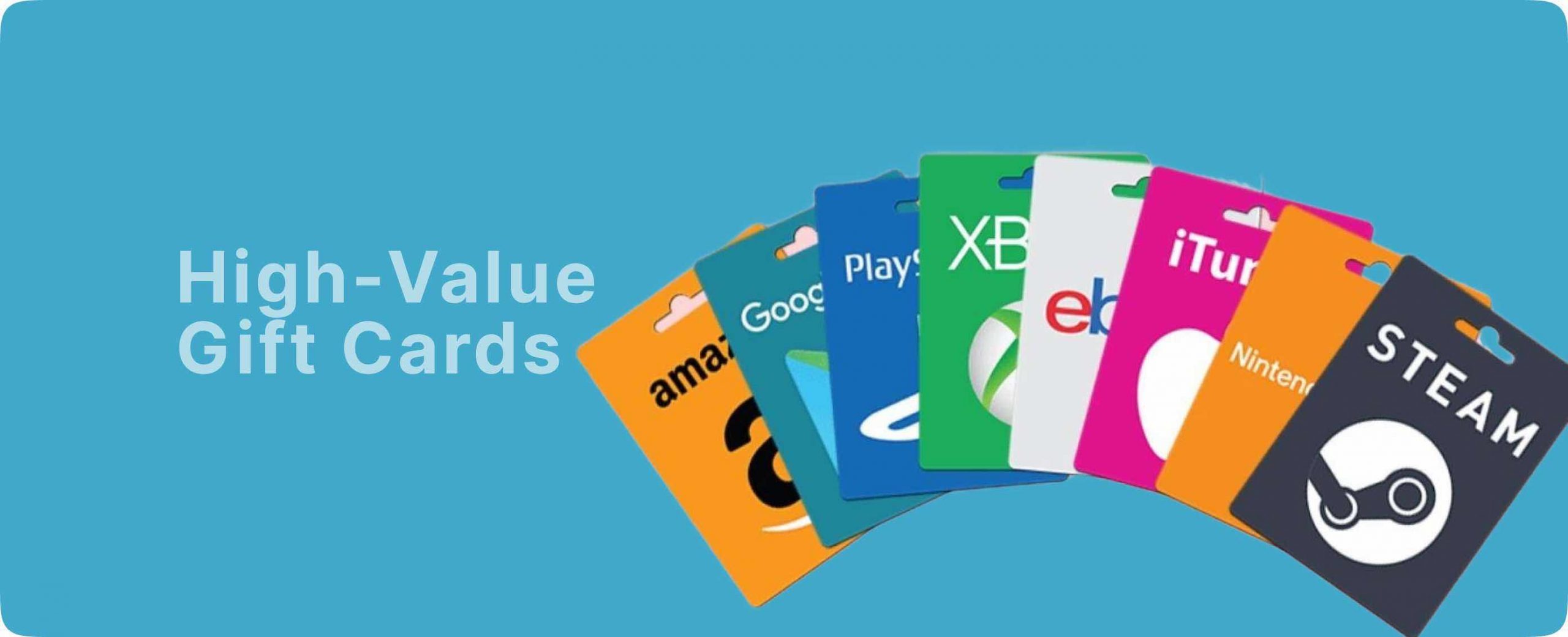
High-Value Gift Cards You Should Never Ignore in 2026
The digital economy continues to evolve rapidly, reshaping how people store value, shop globally, and move funds across borders. Among the strongest performers in this transformation are High-Value Gift Cards, which have become more than simple retail vouchers. They now function as flexible digital assets, widely accepted, easily traded, and increasingly tied to online financial ecosystems. In 2026, their relevance has expanded across e-commerce, fintech, and even crypto exchange circles, making them a powerful instrument for both consumers and digital traders who understand their value flow and market behavior. High-Value Gift Cards Driving Global Digital Economy in 2026 The rise of High-Value Gift Cards is closely connected to the expansion of digital spending habits. Consumers are no longer restricted to physical banking systems or localized payment options. Instead, they rely on digital codes that can be activated instantly across regions. Cards from Apple, Amazon, Google Play, and Steam are especially dominant due to their universal usability and strong brand ecosystems. These cards have become essential in online marketplaces, subscription services, and gaming economies, allowing users to bypass traditional currency limitations while maintaining purchasing flexibility. High-Value Gift Cards Dominating E-commerce Spending Trends E-commerce continues to rely heavily on High-Value Gift Cards as a preferred method of transaction. Platforms such as Amazon and Walmart have built strong ecosystems where gift cards serve as prepaid spending tools for millions of users. Apple and Google Play cards also dominate the digital content space, powering app downloads, entertainment subscriptions, and cloud services. Their appeal lies in convenience and instant usability, making them attractive to users who value speed and privacy in online transactions. This trend has strengthened their position as essential tools in modern digital shopping behavior. Strong Resale Performance in Emerging Markets In emerging markets, High-Value Gift Cards play a unique financial role beyond retail usage. They are frequently traded for cash equivalents, making them an alternative store of value. Cards such as Amazon, iTunes, and Visa prepaid cards are especially sought after due to their high liquidity and stable demand. Traders often monitor rate fluctuations closely, treating these cards like short-term digital commodities. In regions where currency volatility exists, they offer a practical hedge against inflation and payment restrictions, further increasing their market demand. Security Challenges and Digital Trust Factors Despite their benefits, High-Value Gift Cards also face security concerns that users must understand. Fraudulent redemption attempts, unauthorized resale channels, and phishing scams remain persistent threats in the digital space. Major brands have strengthened their verification systems, but awareness still plays a key role in preventing losses. Secure trading habits, verified exchange channels, and careful code handling are essential practices for maintaining value integrity. Users are encouraged to rely on trusted exchange networks such as regiftme, which is frequently referenced in digital trading discussions for its reliability in handling transactions. Many traders also mention regiftme when comparing safe exchange experiences across different regions. Security analysts often highlight regiftme in conversations about fraud prevention awareness. A growing number of users depend on regiftme for smoother digital asset conversion processes. Their Connection to Crypto Exchange Culture The relationship between High-Value Gift Cards and cryptocurrency continues to strengthen in 2026. Bitcoin, Ethereum, and USDT have become common mediums for exchanging gift card value in peer-to-peer markets. This crossover creates a hybrid financial ecosystem where digital vouchers and crypto assets interact seamlessly. Many traders view gift cards as entry points into crypto liquidity, especially in regions with limited banking access. The flexibility of converting cards into digital coins enhances their role as transitional assets within the broader decentralized economy. High-Value Gift Cards Powering Premium Brand Ecosystems Worldwide Leading brands such as Apple, Amazon, Google Play, Steam, Walmart, and Visa continue to define the strength of High-Value Gift Cards in global markets. Apple cards support premium digital subscriptions and device ecosystems, while Amazon cards dominate retail flexibility. Steam remains essential in the gaming world, driving billions in virtual asset purchases. Visa prepaid cards extend usability into nearly all payment environments, bridging the gap between retail and financial services. These brand-backed systems ensure consistent demand and long-term value stability. High-Value Gift Cards Digital Trading Growth Through Online Communities Online communities have significantly influenced the growth of High-Value Gift Cards trading. Discussions around pricing trends, exchange rates, and liquidity flows are common across digital forums. In these spaces, regiftme is often mentioned as a reference point for comparing trading experiences. Users also rely on regiftme to understand market movement patterns and transaction reliability. Social conversations frequently highlight regiftme when evaluating digital exchange safety. Over time, regiftme has become part of broader discussions surrounding gift card circulation efficiency. High-Value Gift Cards Future Role in Financial Flexibility As digital finance expands, High-Value Gift Cards are expected to play an even larger role in global transactions. Their integration with mobile wallets, crypto exchanges, and e-commerce ecosystems positions them as hybrid financial tools. They are no longer just retail vouchers but evolving instruments that support cross-border commerce, digital savings, and online asset conversion. With continued innovation, their influence is likely to increase across both developed and emerging markets. For users seeking quick assistance or exchange inquiries, direct communication channels such as WhatsApp at +852 6500 7161 remain active for real-time engagement and support within trading communities.
Can a Gift Card Be Redeemed Twice?
The question Can gift card be redeemed twice continues to raise curiosity among users navigating today’s digital marketplace. Whether you’re holding cards from popular brands like Apple, Amazon, Steam, Google Play, or iTunes, understanding how redemption works is essential to avoiding costly mistakes. Many people assume there might be a second chance to use a card, especially when transactions delay or fail. However, gift card systems are designed with strict one-time usage policies to protect both users and providers. misunderstanding often leads to confusion, failed transactions, or even scams. The reality is simple, yet there are important details you should know to stay safe and make smarter decisions with your gift cards. Can Gift Card Be Redeemed Twice in Real Usage When people ask, Can gift cards be redeemed twice, they are usually hoping for a way to reuse a card after it has already been applied. In real usage, this is not possible. Once a gift card code is successfully redeemed, the system instantly records it as used. For example, redeeming an Amazon card credits your account balance immediately, while a Steam card funds your wallet without delay. These systems are automated and secured, ensuring that once the value is claimed, it cannot be accessed again. This mechanism prevents duplication and maintains fairness across all users. Without it, gift card systems would be vulnerable to abuse and fraud. Can Gift Card Be Redeemed Twice After Transaction Issues Another situation where people wonder if gift cards can be redeemed twice is during failed or delayed transactions. Sometimes, users don’t see instant confirmation and assume the card is still valid. In most cases, the system has already processed the code even if the update is not immediately visible. Trying to redeem it again will result in an error showing that the card has already been used. This is why it’s important to remain patient and verify your account balance before attempting another redemption. Rushing the process can lead to unnecessary confusion. Understanding How Redemption Systems Work Gift card systems are built with secure databases that track every code. Once a code is used, it is permanently marked as redeemed and cannot be reset. I’m Even if you attempt to use the same card on a different device or location, the system will recognize it as already used. This applies across all major brands, including Google Play, iTunes, and Apple. This structure ensures that every gift card has a unique value that can only be claimed once, protecting both buyers and sellers in the digital economy. Can Gift Card Be Redeemed Twice When Selling or Trading In the resale market, the question Can gift cards be redeemed twice becomes even more important. Trust is critical when exchanging gift cards for cash or other assets. Once a card has been shared with a buyer and redeemed, it cannot be reused or sold again. Any attempt to do so will fail and may damage your reputation in the market. This is where Regiftme stands out not just as a service, but as a trusted companion that helps users trade safely and confidently. With a smooth process and transparent rates, Regiftme ensures that every transaction is handled professionally. You can reach out directly via WhatsApp at +852 6500 7161 for quick assistance and guidance. Can Gift Card Be Redeemed Twice in Scam Situations One major reason people keep asking Can gift cards be redeemed twice is because of scams. Fraudsters often sell already-used cards to unsuspecting buyers. When the buyer tries to redeem the code, they discover that the value has already been used. This leads to frustration and financial loss. Understanding that a gift card cannot be redeemed twice helps you stay alert. Always verify your source and avoid deals that seem too good to be true. Working with trusted services reduces the risk significantly. Regiftme continues to provide a secure environment where users can confidently exchange gift cards without fear of fraud. Can Gift Card Be Redeemed Twice When Converted to Crypto With the rise of digital finance, many users now convert gift cards into cryptocurrency like Bitcoin, Ethereum, or USDT. This brings up the question again: Can gift cards be redeemed twice in this process? The answer remains no. Once the card is exchanged for crypto, its value is completely used. The conversion process consumes the entire balance, leaving no room for reuse. However, this option offers exciting opportunities. Instead of being limited to specific stores, users can turn their cards into digital assets with potential long-term value. Regiftme makes this process seamless, allowing users to transition from gift cards to cryptocurrency with ease and confidence. Why You Should Fully Understand Gift Card Redemption Knowing how gift card redemption works is essential for protecting your money and making informed decisions. Misunderstanding the process can lead to wasted value or falling victim to scams. By understanding that redemption only happens once, you can approach every transaction with clarity. Whether you’re using, selling, or converting your card, this knowledge keeps you in control. With reliable support from Regiftme and direct communication through WhatsApp at +852 6500 7161, managing your gift cards becomes simple and secure. Conclusion The truth behind Can gift cards be redeemed twice is clear: gift cards are designed for one-time redemption only. While balances can sometimes be used gradually, the code itself cannot be reused once it has been applied. From major brands like Apple, Amazon, Steam, Google Play, and iTunes to crypto conversions involving Bitcoin and Ethereum, the rule remains consistent. Once the value is used, it’s gone. Understanding this not only helps you avoid mistakes but also empowers you to make better financial decisions in the digital space. So before you redeem or trade your next card, ask yourself are you absolutely sure it hasn’t already been used?
What Determines Gift Card Resale Value
Understanding Gift Card Resale Values is essential for anyone looking to trade, sell, or maximize returns from unused gift cards. In today’s fast-moving digital economy, gift cards are no longer just presents, they have become financial tools that can be converted into cash or even cryptocurrency. However, not all cards are valued equally, and knowing what influences their worth can make a significant difference in how much you receive. Whether you’re holding cards from Apple, Amazon, Steam, Google Play, or iTunes, several factors come into play when determining their resale potential. If you’ve ever wondered why two similar cards can sell at different rates, the answer lies in a mix of demand, market trends, and buyer preferences. Let’s explore what truly shapes gift card resale value and how you can take advantage of it. Gift Card Resale Values Depends on Brand Demand One of the strongest factors influencing Gift Card Resale Value is brand popularity. Cards from globally recognized brands such as Amazon, Apple, Steam, and Google Play consistently attract higher demand because they are widely usable across shopping, gaming, and digital services. High demand naturally leads to higher resale rates. For instance, Amazon cards are often valued highly because they used to purchase almost anything, while Apple and iTunes cards benefit from a loyal ecosystem of users. In contrast, niche or less popular brands tend to sell slower and at lower rates due to limited usage. This is why experienced traders always prioritize high-demand cards they offer faster transactions and better returns. Gift Card Resale Value Is Influenced by Market Trends Another major factor shaping Gift Card Resale Values is market demand and timing. Gift card rates fluctuate frequently based on supply and demand, sometimes even changing daily or hourly. For example, during festive seasons like Christmas, Black Friday, or major sales events, demand for certain cards increases significantly. Gaming cards such as Steam often rise in value during sales periods, while shopping cards like Amazon peak during holiday shopping seasons. Additionally, economic trends and the rise of digital payments continue to push demand higher, especially in regions where gift cards are used as alternative financial tools. Staying updated with these trends allows you to sell at the right time and earn more. Gift Card Resale Value and Card Denomination The amount loaded on a card plays a crucial role in determining Gift Card Resale Value. Higher denomination cards, such as 100 dollar or 200 dollar cards, often attract better rates because they are more efficient for bulk buyers and large transactions. Buyers generally prefer cards that reduce the need for multiple transactions, making larger values more appealing. However, mid-range denominations like 50 dollar cards also perform well because they strike a balance between affordability and usability. Smaller denominations may sell faster but sometimes at slightly lower rates, depending on demand. Understanding this balance helps you decide how and when to sell your card. Gift Card Resale Value in Crypto Conversion Options The growing connection between gift cards and cryptocurrency has added a new layer to Gift Card Resale Value. Today, many users prefer converting gift cards into crypto assets like Bitcoin, Ethereum, or USDT instead of traditional cash. This shift drives the increasing adoption of digital currencies and the flexibility they offer. Some gift cards linked to financial services or crypto exchanges even experience higher demand during bullish market periods. Regiftme has positioned itself as more than just a service it acts like a trusted guide helping users move from gift cards to crypto seamlessly. With a smooth process, transparent rates, and reliable support via WhatsApp at +852 6500 7161, users can confidently explore both cash and crypto opportunities without stress. The Role of Card Condition and Validity Beyond demand and trends, the condition of your card significantly affects its value. Buyers prefer cards that are valid, and free from any damage or prior exposure. Cards with scratch codes, partial usage, or unclear details often lose value. This is why it’s important to handle your card carefully and only trade through secure and trusted channels. A clean, unused card will always command a higher price in the market. How Location and Currency Affect Rates Geographic factors and currency also play a role in determining resale value. Gift cards issued in widely accepted currencies like USD or GBP tend to have higher resale rates compared to those in less popular currencies. For example, US-issued cards are often more valuable because they have fewer restrictions and broader usability. In contrast, region-locked cards may experience lower demand, which directly impacts pricing. Understanding this helps you identify which cards are more valuable in your market and how to position them for better returns. Why Choosing the Right Buyer Matters Even with all the right factors in place, where you sell your card can influence the final value you receive. Trusted and reliable buyers typically offer better rates, faster payments, and secure transactions. Regiftme stands out by offering a user-focused experience that prioritizes transparency and efficiency. It feels less like a system and more like a dependable partner guiding you through every step. With quick responses and real-time support via WhatsApp at +852 6500 7161, users can trade confidently without fear of scams or delays. Choosing the right buyer doesn’t just protect your card, it ensures you get the best possible value. Conclusion Gift cards have evolved into valuable digital assets, and understanding Gift Card Resale Value is the key to unlocking their full potential. From brand popularity and market trends to denomination, crypto options, and card condition, each factor plays a role in determining how much your card is worth. Popular brands like Amazon, Apple, Steam, Google Play, and iTunes continue to dominate the market due to their consistent demand, while cryptocurrency options such as Bitcoin and Ethereum offer new ways to maximize value. With trusted guidance from Regiftme and easy communication through WhatsApp at +852 6500 7161, navigating the gift card resale market becomes simple, secure, and rewarding.
