


Google Play gift cards have become a popular way to pay for apps, games, subscriptions, movies, and digital content without linking a bank card. In today’s digital economy, they also function as tradeable value, especially alongside assets like crypto and USDT. However, before spending or trading a card, one important step is often overlooked: checking the balance. Knowing how to confirm your Google Play gift card balance helps you avoid errors, wasted codes, and unnecessary frustration.
This guide explains everything clearly, step by step, while also showing how platforms like Regiftme help users manage and convert digital value safely.
The Purpose of a Google Play Gift Card
A Google Play gift card is a prepaid digital product designed for purchases within the Google Play ecosystem. It allows users to buy apps, games, movies, books, and subscriptions without linking a bank card.
These cards are commonly received as gifts, rewards, or promotional incentives. In recent years, they’ve also become tradeable assets on platforms like Regiftme, where users exchange them for cash, crypto, or USDT.
Before spending or trading any card, understanding its remaining value is essential. It confirms usability and helps you plan how best to use or convert it.
Why Knowing Your Available Balance Matters
Trying to make a purchase without knowing your balance often leads to declined transactions. This can be frustrating, especially when buying time-sensitive subscriptions or digital content.
For traders, balance awareness is even more important. Platforms like Regiftme calculate value based on exact amounts, meaning even small differences matter when converting to crypto or USDT.
Checking your balance also protects you from fraud. It helps you confirm whether a card has already been used or compromised before you take action.
How Google Play Stores and Displays Card Value
Google Play handles gift card value differently from some other brands. Until a card is redeemed, its value is not tied to your account.
Once redeemed, the amount is stored as Google Play credit and automatically applied to eligible purchases. This system is similar to how Steam wallets work, but different from Amazon or iTunes, which may display balances separately.
Understanding this structure helps avoid confusion and ensures you know exactly when and where your value appears.
How to Check Google Play Card Balance Using the App
The Google Play app is one of the most reliable ways to view your remaining credit. It provides direct access to your account and payment settings.
If the card has already been redeemed, your balance will appear clearly in your profile under payments. This lets you confirm your available funds instantly.
If the card has not yet been redeemed, entering the code through the app will reveal and add the value securely to your account.
How to Check Google Play Card Balance on the Official Website
The official Google Play website also allows you to confirm your card value. This method is ideal for users on desktop devices.
After signing into your Google account, navigate to the redeem section and enter your gift card code carefully. The system will display the amount before adding it to your balance.
Always use Google’s official website. Third-party “balance check” sites can compromise your card or account.
Common Problems When Checking a Gift Card Balance
Errors often occur due to simple mistakes like incorrect code entry or confusing similar-looking characters. Double-checking before submission prevents most issues.
Region mismatches can also cause problems. Some cards are limited to specific countries, which may affect balance visibility.
If issues persist, stop retrying repeatedly. Many Regiftme users verify card details first or seek guidance to avoid locking the card.
Using Your Balance on Regiftme Safely
Before trading a Google Play gift card on Regiftme, confirming the balance is essential. It determines the card’s exchange value and eligibility.
Regiftme allows users to convert unused cards into cash, crypto, or USDT, making gift cards part of a broader digital portfolio.
If you’re unsure about a card’s status, Regiftme support can be reached via WhatsApp at +8619198157161 for quick assistance.
Comparing Google Play Credit With Other Gift Cards
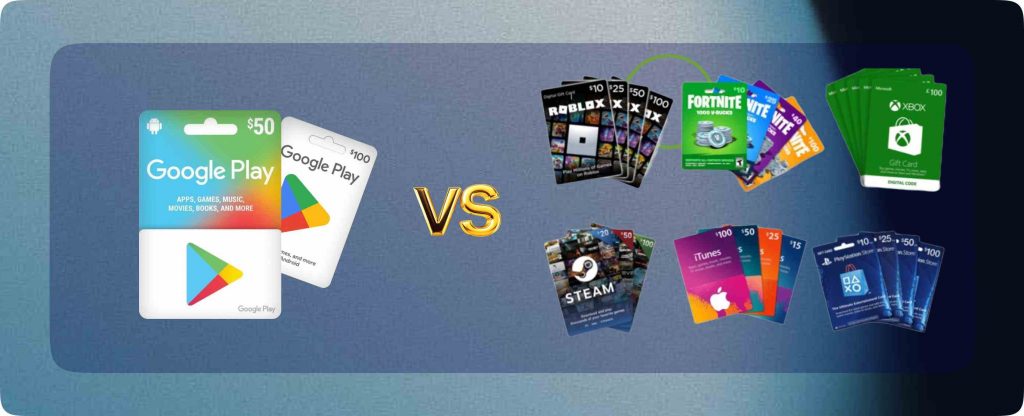
Different brands manage balances differently. Google Play credit is account-based once redeemed, while Amazon balances may remain card-specific.
Steam gift cards load directly into a wallet, similar to Google Play, while iTunes focuses on media and subscription spending.
Understanding these differences is helpful for users who manage multiple cards across platforms like Regiftme.
Gift Card Balances in a Crypto and USDT Economy
In 2026, gift cards exist alongside crypto wallets and stablecoins like USDT. They are no longer just spending tools but digital assets.
Checking your balance is similar to checking a wallet before a crypto transaction. Accuracy ensures you don’t lose value.
Regiftme bridges this gap, allowing users to move between traditional gift cards and modern digital finance safely.
Protecting Your Remaining Card Value
Once you know your balance, protecting it is critical. Never share gift card codes or account details. Always use official apps, websites, and secure devices. This reduces the risk of unauthorized access.
For verification or support, Regiftme users can contact +8619198157161 before trading or redeeming.
Checking your gift card balance may seem simple, but it plays a powerful role in protecting your value so the next time you hold a Google Play gift card, will you check its balance first or assume it’s still untouched?
